

My first Google Ads campaign taught me an expensive lesson. I turned on a bunch of settings I didn’t understand, walked away for a weekend, and came back to a bill that made my stomach drop. Nothing was technically “broken.” I just didn’t know what the system was doing with my money.
Here’s the thing: in 2026, Google Ads is more automated than ever, and the last few weeks brought a long list of changes. Microsoft removed a classic bidding option. Google started adding offers from your website to your ads. New budget controls are rolling out. And Display campaigns are headed into Demand Gen in early 2027.
If you’re a beginner running ads for a business, blog, or side hustle, this Google Ads 2026 guide will help you understand the latest updates and what to do about each one, without needing an agency degree.
The Big Pattern: Less Manual Control, More Automation
Industry roundups this month all pointed to the same trend: ad platforms keep taking controls away from advertisers and replacing them with AI. A few examples:
- Google has been moving older Search campaign features into AI Max for Search.
- Beginning October 1, Microsoft Advertising stopped offering Max CPC when you create new campaigns using strategies like Target CPA, Target ROAS, and Maximize Conversions.
- Meta has removed placement exclusions for several campaign types.
Here’s the truth: you can’t fight automation, but you can feed it better information. The advertisers who win are the ones with clean conversion tracking, strong creative, and a clear offer.
Update 1: Google Is Adding Offers From Your Website to Your Ads
Since October 12, Google can automatically pull offers (like discounts, coupons, or “buy one get one” deals) from your website into some Search and Performance Max ads. Reports say this applies only if you haven’t already added your own offers, and some advertisers can switch it off.
What to do:
- Check your website for any old or expired promotions.
- Add your own current offers in Google Ads so you stay in control.
- Review your ad previews and make sure nothing inaccurate appears.
Update 2: Smart Bidding Learning Rules Got Clearer
Google rewrote its help page, now called “About Smart Bidding learning.” This is great news for anxious beginners (like past me). Key points reported:
- The visible “Learning” status never lasts more than 7 days.
- Learning can be triggered by a new or reactivated bid strategy, adding or removing campaigns, ad groups, or keywords, or a significant change to conversion goals.
- Changes to budgets, targets, creatives, or targeting settings (like location, audience, and language) don’t trigger Learning or erase history.
Best practices that follow from this:
- Focus on one consistent primary conversion goal.
- Keep daily budgets high enough for the system to optimize.
- Consolidate campaigns so each one gets more conversion data.
- Avoid making several target changes within one conversion cycle.
Pro tip: Don’t freeze your budget out of fear. Instead, be careful when you change conversion goals or restructure campaigns.

Update 3: New Channel Controls (Watch Your Defaults!)
Google announced Channel Prioritization and Budget Allocation controls rolling out across Search, Shopping, Performance Max, and Demand Gen. You can set channels like Search, Search Partners, and the Display Network to different priority levels, and cap how much of your daily budget low-priority channels can spend.
Here’s the gotcha: reports say every channel defaults to “High Priority” when the controls begin rolling out, which could shift your spend mix if you do nothing. Google suggested setting the Display Network to low priority with a 50% budget cap to preserve current behavior, and a one-click migration option is expected. Google plans to start removing the old spend allocation setup in February 2027.
What to do: Log in, find the new settings, and check where your money is going. If you’re a beginner, a good rule is to put most of your budget where you already see conversions.
Update 4: Performance Max Gets A/B Testing
Performance Max (PMax) is finally getting a real testing framework for asset groups. You can test changes to headlines, descriptions, images, and videos before fully committing. One catch: once an experiment starts, you can’t edit that asset group, so plan ahead.
Ideas to test:
- A real photo versus a polished graphic
- Customer-style (UGC) video versus brand video
- A benefit headline versus a question headline
Also, one analysis warned that PMax for ecommerce can push a lot of budget into YouTube placements by default. Check your placement reports so you aren’t paying for video views you didn’t intend.
Update 5: Display Is Moving Into Demand Gen in 2027
Google says it will migrate remaining eligible Display campaigns into Demand Gen starting in early 2027. Demand Gen reaches YouTube, Discover, Gmail, and Maps, and advertisers can add Google Display Network inventory. Google reported that advertisers who add GDN to Demand Gen see about a 9.5% average increase in ROI, and one case study showed a 24% drop in cost per acquisition (these are Google’s own figures). The trade-off: you may lose some control over audience targeting.
Good news for budgets: display CPMs were reported 45% lower year over year between July and early September, which can make reach cheaper heading into the holidays. Cheaper reach doesn’t guarantee more sales, though.
Other Useful Updates
- Spend Benchmarks: A new report in the Google Ads Overview shows whether you spend more or less than similar advertisers. Use it as a reference, not a rule.
- Search terms and ad combinations report: Some accounts using AI Max for Search are seeing a new report that shows how search terms match with ad combinations.
- Business name option: Google is allowing some advertisers to show a business name different from the website address.
- Funnel reporting: The Overview page now shows video impressions in conversion paths and a Performance by stage card.

A Beginner-Friendly Google Ads Checklist
- One clear conversion goal tracked correctly (purchase, lead, or call)
- Landing page that matches your ad and loads fast on mobile
- Current offers added manually
- Daily budget large enough to collect data
- Channel priority settings reviewed
- One PMax or creative A/B test planned
- Weekly review habit: spend, conversions, cost per result
Want a Complete Digital Marketing System?
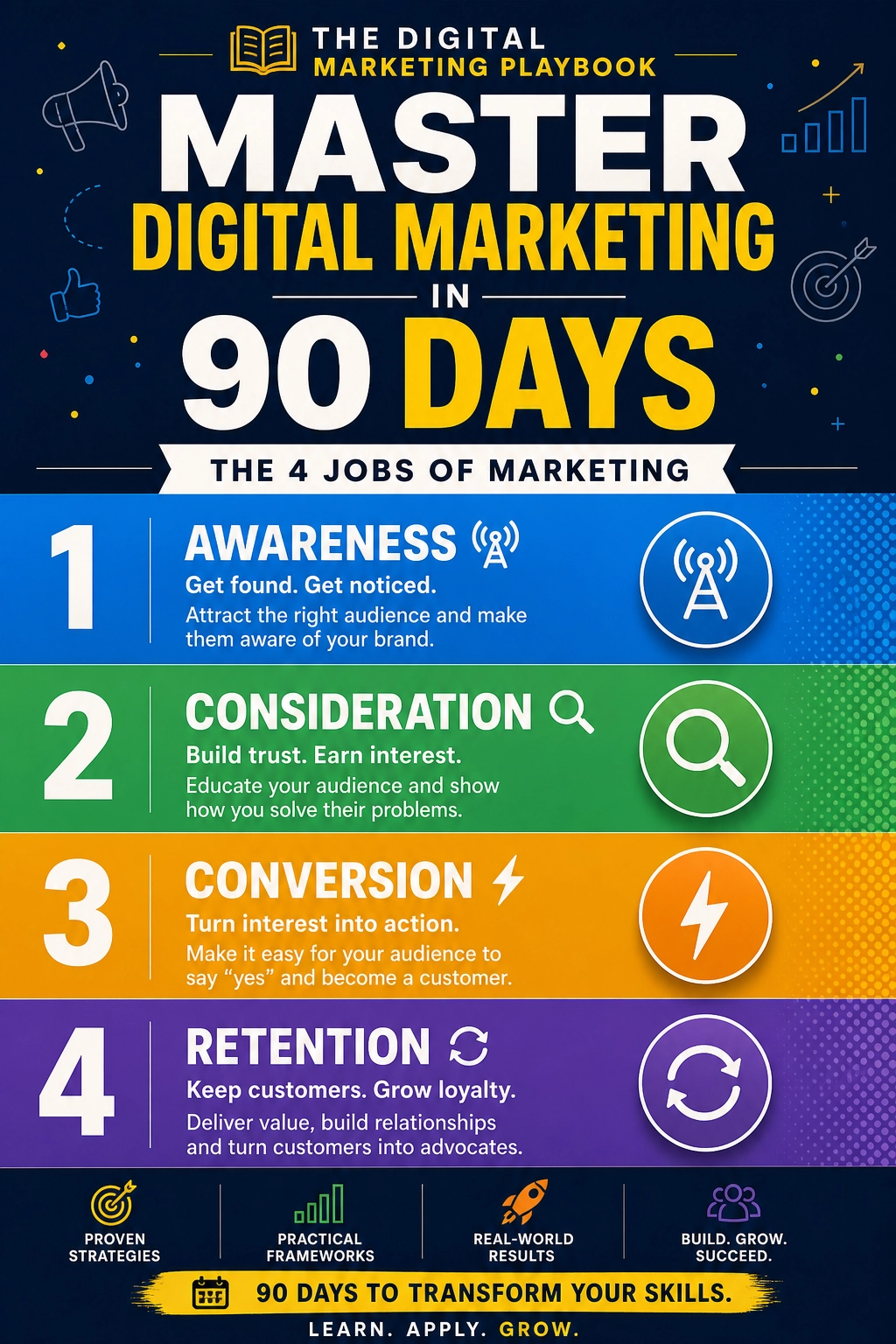
Paid ads are powerful, but they work best when they’re connected to content, email, and a clear offer. If you want a practical, step-by-step framework to tie it all together, here’s the guide I recommend:
The Digital Marketing Playbook
I wish I’d had it before my first expensive weekend.
Final Thoughts
Google Ads isn’t getting simpler, but it is getting more predictable if you know the rules. Track the right conversion, give the system enough budget and data, test creative, and check your settings after every big update. Start small, learn weekly, and scale what works. You don’t need to master every feature. You just need to stay curious and keep your money pointed at results.










Leave a Reply