


The first time I opened TikTok’s ad manager, I felt like I’d walked into a spaceship cockpit. Dozens of settings, acronyms I didn’t recognize, and a button that said “Smart” with a plus sign that seemed to promise magic. I clicked it, set a budget I couldn’t really afford, and watched money disappear faster than I could understand where it went.
If you’re curious about TikTok advertising but nervous about wasting your budget, you’re not alone. And right now is an interesting moment to learn, because TikTok has just announced some of its biggest ad changes of the year. The TikTok Ad Network is opening to advertisers targeting the U.S., Smart+ campaigns now let you choose how much automation you want, and a dedicated holiday shopping season is in full swing.
Plus, the cost picture is tempting. Metricool’s study of nearly 600,000 campaigns found TikTok’s average cost per lead fell about 33% to around $2.69, while Meta’s rose to about $6.00. Cost per click was about $0.03 on TikTok versus $0.07 on Meta. Those are averages, not promises, but they explain why more advertisers are testing the platform.
In this guide, I’ll explain how TikTok ads work for beginners, what’s new, and a low-risk plan to start without burning your budget.
What’s New in TikTok Advertising
Based on recent coverage of TikTok’s latest announcements:
- TikTok Ad Network is open to the U.S. Formerly known as Pangle, it extends your ads to third-party apps. Reports say it reaches nearly 400,000 apps worldwide.
- Smart+ with adjustable automation. Instead of all-or-nothing, you can reportedly choose full, partial, or manual automation, so you can let the system optimize while keeping control of the pieces you care about.
- Smart+ for Search Ads and new AI tools for leads and shopping.
- AI connectors. TikTok has connected its ad tools to popular AI assistants so marketers can build and review campaigns from the tools they already use. Some of these workflows create campaigns in a paused state until a person approves them.
- A holiday shopping season for TikTok Shop with promotional placements and a delivery-speed badge.
- A local discovery guide. TikTok launched a restaurant guide called Must Eat in several U.S. regions, and says millions of Americans visited independent businesses for the first time after finding them on TikTok (a figure from TikTok itself).
- Meta no longer runs ads that link to TikTok in the U.S. and several other countries, according to news reports, so promoting your TikTok account through Meta ads may not work.
Is TikTok Advertising Right for You?
Good fit if you:
- Sell something visual, useful, or emotional (products, food, beauty, home, learning, local services)
- Can create simple, natural-looking videos
- Are comfortable testing and learning
- Have a clear offer and a landing page that works on mobile
Not ideal if you:
- Have no budget for testing (even a small one)
- Can’t track conversions
- Expect instant sales without testing creative
Step 1: Set Up the Basics
- Create a TikTok Business account and ad account.
- Install the TikTok Pixel (and, if you can, the Events API) on your website so TikTok can see purchases, signups, or leads.
- Choose your key conversion event: purchase, lead, or add to cart.
- Make your landing page fast and mobile-friendly. Most TikTok traffic is on phones.
- If you sell products, connect your catalog and consider TikTok Shop.
Step 2: Pick a Simple Campaign Goal
Beginners often choose too many objectives. Start with one:
- Sales or website purchases for e-commerce
- Leads for services
- Traffic only if you can’t yet track conversions (and treat it as a test)
- Awareness only if you have a clear plan to follow up
Step 3: Choose Your Automation Level
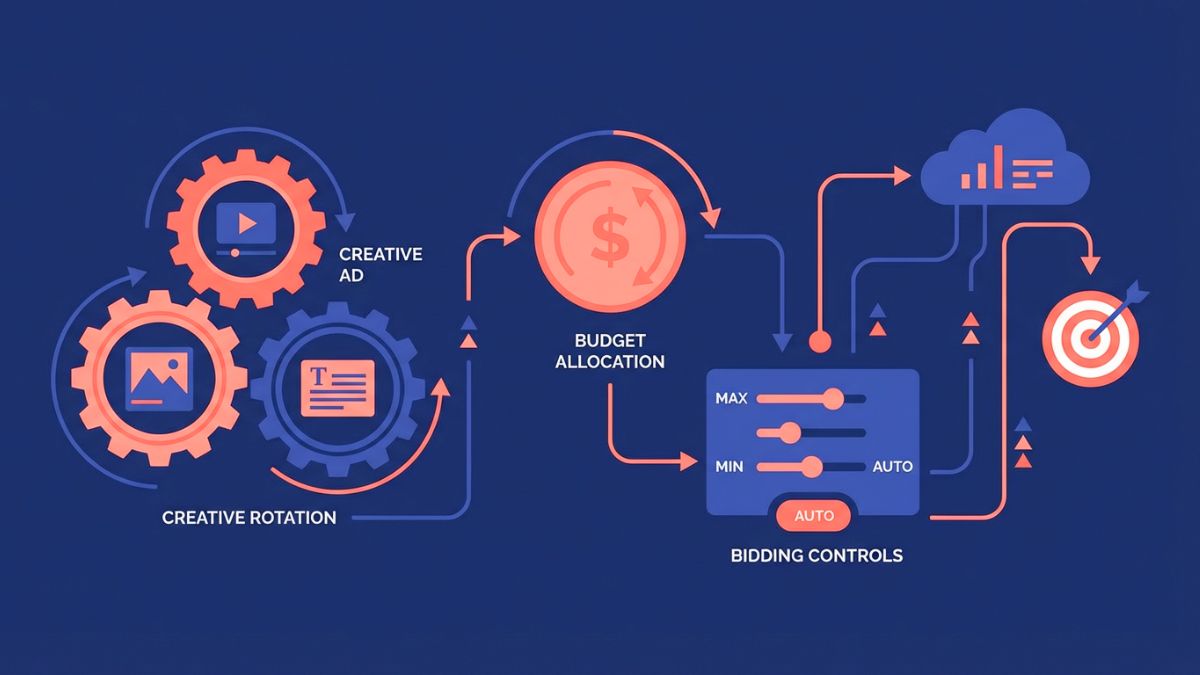
Smart+ is TikTok’s automation suite. With adjustable automation, a sensible beginner approach is:
- Start with more automation if you have good creative and conversion tracking, and let the system learn.
- Use partial control if you want to guide targeting or placements.
- Use manual controls only when you understand what you’re testing.
Whichever you choose, avoid changing everything at once. Learning periods exist on most platforms, so give campaigns time before judging them.
Step 4: Create Videos That Look Native
TikTok ads work best when they feel like TikTok content:
- Hook in the first 1-2 seconds: a question, a problem, or a surprising visual.
- Show the product or result quickly.
- Use real people and natural settings. Polished commercials often underperform.
- Add captions and clear audio.
- Keep it short, often 15 to 30 seconds.
- End with a clear call to action.
- Make several versions with different hooks to test.
If you work with creators, ask about permission to run their content as ads, and disclose partnerships according to platform rules.
Step 5: Set a Small Test Budget
Start with money you can afford to lose:
- Decide your total test budget for the first two weeks.
- Split it across two or three creatives.
- Let each run long enough to gather data before cutting.
- Calculate your break-even cost per sale or lead before you start.
Step 6: Measure What Matters
Watch these:
- Cost per click and click-through rate (signals about creative)
- Cost per lead or sale (signals about profit)
- Conversion rate on your landing page
- Video view rate and hold rate (do people watch past the hook?)
- Return on ad spend for e-commerce
Remember that TikTok influences people who may buy later through search or direct visits, so attribution can be messy. Use post-purchase surveys (“How did you hear about us?”) to catch influence your dashboard misses.
Step 7: Improve Weekly
- Replace the weakest creative with new variations.
- Keep the winners and test new hooks around them.
- Update your offer or landing page if clicks are strong but sales are weak.
- Pause what isn’t working rather than hoping.
Special Note: Local Businesses
If you’re a restaurant, cafe, or shop, search your business name on TikTok to see what customers are already posting. Keep your Google Business Profile accurate too, since many people look you up before visiting. TikTok hasn’t said how businesses get included in Must Eat, so don’t build your whole plan around it yet.
Special Note: TikTok Shop Sellers
TikTok Shop has its own rules, including a ban on AI voices standing in for live presenters. Real faces and voices are an advantage. Check seller policies carefully, and don’t rely on a single sales channel.
Mistakes to Avoid
- Using polished brand ads that don’t feel like TikTok.
- Skipping the Pixel and flying blind.
- Changing too much too soon.
- Judging results after one day.
- Sending traffic to a slow or confusing page.
- Ignoring comments. Replies build trust.
- Putting all your budget on one platform.
Your 14-Day TikTok Ads Starter Plan
- Days 1-2: Set up your Business account, Pixel, and conversion event.
- Days 3-5: Film three short, native-style videos with different hooks.
- Days 6-7: Launch one campaign with a small test budget.
- Days 8-10: Review early data without panicking, and answer comments.
- Days 11-12: Pause the weakest video and create two new variations.
- Days 13-14: Compare cost per result with your break-even number and decide whether to scale, adjust, or stop.
Build TikTok Into a Bigger Plan
Paid ads are strongest when they’re part of a bigger system: a clear offer, an email list, content, and tracking. If you’d like a step-by-step guide to building that system, take a look at my ebook:
The Digital Marketing Playbook
Trust me, ads work better when your foundation is solid.
Final Thoughts
TikTok advertising has become more flexible, more automated, and, for many advertisers, more affordable than other channels. But the basics still decide success: native-looking creative, a clear offer, accurate tracking, and patient testing. Start small, learn from your data, and let results guide your budget.






Leave a Reply