


Let me tell you about the day I almost sent a client an email that said, “Hi [CLIENT NAME], hope you’re having a great [DAY OF WEEK]!” Yes, with the brackets. An automation had filled in the draft, I was rushing, and I almost clicked send. I caught it with about four seconds to spare.
That near-miss taught me the most important rule of using AI in a one-person business: AI writes the first draft, and you approve everything before it leaves your business. It’s a simple idea, and it’s quietly becoming the backbone of how solopreneurs scale without rushing into payroll. People are calling it a draft-and-approve system.
In this guide, I’ll show you exactly how to set one up: what to hand to AI, what to keep for yourself, how to build a daily approval habit, and how to stay safe while saving hours every week.
What Is a Draft-and-Approve System?
A draft-and-approve system has three parts:
- Draft: AI (or an automation) produces a first version of something, such as a proposal, follow-up email, social post, report, or meeting summary.
- Review: You read it, correct it, add your voice and judgment, and verify any facts.
- Approve: Only after you say yes does anything go out to a client, customer, or the public.
Think of AI as your first team: fast, tireless, and sometimes wrong. You are the manager who signs off. Recent solopreneur coverage notes that this kind of setup lets one person handle the drafting, follow-up, and admin work that once forced a first hire.

Why It Works for Solopreneurs
- It saves the slowest part of the job. Starting from a blank page is where most time disappears.
- It keeps your quality bar. Nothing ships without your eyes on it.
- It protects your reputation. One hallucinated fact or wrong name can cost a client.
- It’s easy to scale. You can add more drafts without adding more people.
- It fits a one-person calendar. A short approval block each day beats scattered, constant checking.
Surveys back up how common this is: in one FreshBooks report, 86% of solopreneurs said they turn to AI tools before hiring someone for a task they can’t do, and a Zoom and Upwork report found 91% said AI reduced their admin work.
Step 1: List Everything You Do in a Week
For one week, jot down every task. Then sort each into one of three buckets:
- Green (AI can draft, low risk): Social captions, meeting summaries, first drafts of blog posts, brainstorming, internal notes, research summaries.
- Yellow (AI drafts, you review closely): Client emails, proposals, invoices and reminders, newsletters, website copy, ad copy.
- Red (you do it or decide it): Pricing decisions, legal terms, tax or financial decisions, sensitive client conversations, anything involving health, money transfers, or private data.
This single list becomes your map.
Step 2: Choose Your First Three Loops
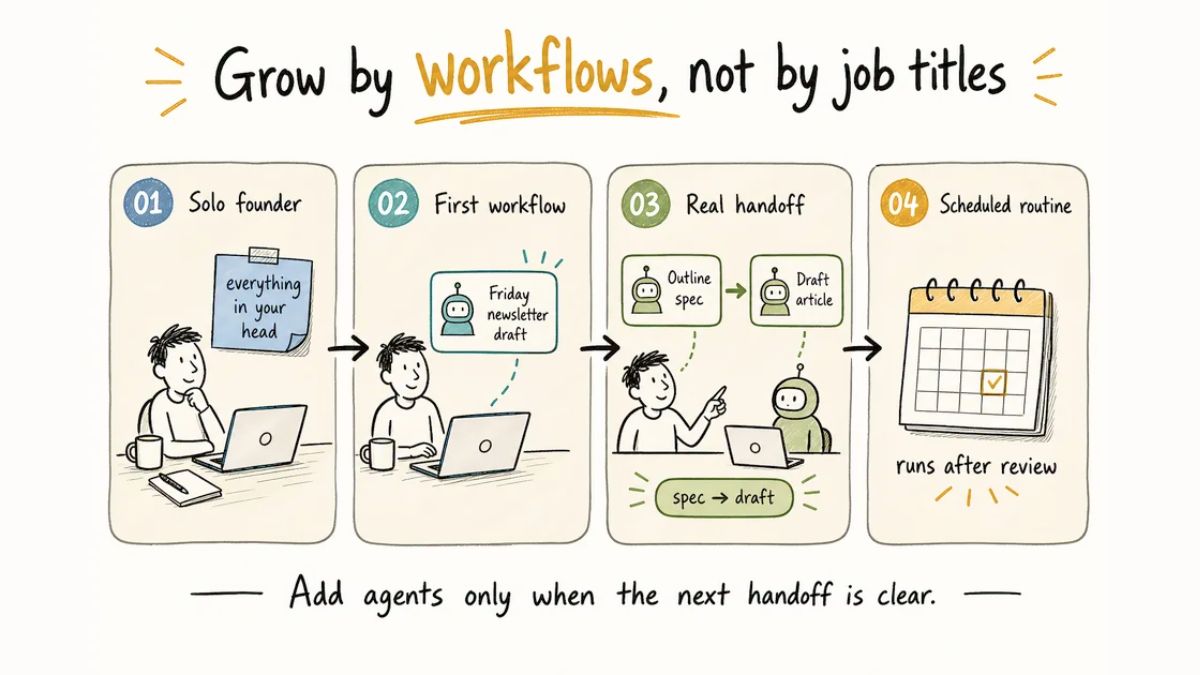
Don’t automate everything at once. Pick three tasks that are repetitive, predictable, and easy to check. Good starter loops:
- Client follow-ups. AI drafts a polite follow-up after each call, using your notes.
- Content repurposing. AI turns one blog post or video into several social posts and a newsletter intro.
- Weekly summary. AI drafts a one-page recap of your week: wins, open tasks, and next steps.
Step 3: Write Your “Rules of the Road”
Give your AI assistant clear instructions so drafts sound like you. Create a short document that includes:
- Your tone and style (with two or three examples of your real writing)
- Words you love and words you never use
- Your audience and what they care about
- Your offers and pricing (so it doesn’t invent them)
- Things it must never do, like make promises, quote prices not listed, or claim results
Save it in a place you can reuse, such as a project or a saved prompt. Newer AI models are better at following writing rules, so this step pays off.

Step 4: Build a Simple Prompt for Each Loop
Here’s a template for a client follow-up:
“Using my brand voice guide, draft a warm, concise follow-up email to a client after our discovery call. Here are my notes: [paste]. Include a short summary of what we discussed, the next step, and a clear call to action. Do not mention pricing unless it appears in my notes. Flag anything you’re unsure about.”
The last line matters. Asking AI to flag uncertainty gives you a head start on review.
Step 5: Set a Daily Approval Block
This is the heart of the system. Put 20 to 30 minutes on your calendar every day for approvals:
- Open your drafts folder.
- Read each draft out loud (or at least slowly).
- Check names, dates, numbers, links, and promises.
- Edit for voice. Add one personal detail where it fits.
- Approve, send, or schedule.
- Delete or fix anything you’re unsure about.
Pro tip: Never approve on your phone while distracted. That’s when brackets and mistakes slip through.

Step 6: Use a Pre-Send Checklist
Before anything goes out, run through this list:
- Is the name right? Any leftover brackets or placeholders?
- Are all facts, numbers, and links correct?
- Did I promise anything I can’t deliver?
- Does it sound like me?
- Is there anything private that shouldn’t be included?
- Would I be comfortable if the recipient forwarded it to someone else?
Step 7: Keep a Quality Log
Track what AI gets wrong. Every week, jot down errors, awkward phrasing, or things you had to fix. Over time, patterns will appear. Add those lessons to your rules document and your prompts so drafts improve.
Step 8: Control Permissions
As AI tools become more agentic, meaning they can take actions rather than only write text, access matters:
- Give tools only the permissions they need.
- Prefer settings that require approval before sending messages, paying, signing, or deleting.
- Keep sensitive client data out of tools you haven’t vetted.
- Review connected apps regularly and remove those you don’t use.
Some of the newest personal AI agents are built around exactly this idea: they prepare work and ask for your approval before sending a message, making a payment, signing a document, or deleting anything. Whether you use those tools or something simpler, treat that principle as non-negotiable.

What to Keep for Yourself
AI is great at patterns, speed, and first drafts. It’s weaker at things that are the heart of your business:
- Your taste and creative direction
- Trust-building conversations
- Negotiation and pricing decisions
- Reading between the lines of what a client really needs
- Ethics and judgment calls
One way to think about it: AI handles repetition, and you handle relationships and judgment.
A Sample Day in a Draft-and-Approve Business
- 8:30 a.m.: Review the AI-prepared summary of yesterday’s messages and calendar.
- 9:00 a.m.: Deep work on your most important project. No email.
- 12:30 p.m.: 25-minute approval block: follow-ups, social posts, invoices.
- 3:00 p.m.: Client calls and relationship work.
- 4:30 p.m.: Capture notes and let AI draft tomorrow’s follow-ups.
- Friday: Review your quality log and update your rules.
Common Mistakes to Avoid
- Skipping the review because “it looks fine.” This is how errors get through.
- Letting AI make commitments for you. Pricing, deadlines, and promises are yours.
- Automating before you understand the process. Do a task manually a few times first.
- Using AI for high-stakes decisions without expert advice. Legal, tax, and medical choices need qualified humans.
- Forgetting to update your rules. Your business and voice evolve.
Build Your AI Team the Right Way
If you’d like a step-by-step playbook for building draft-and-approve loops, choosing your tools, and growing a one-person business with AI, check out my ebook:

Trust me, a good system beats a pile of random tools every time.
Final Thoughts
The draft-and-approve system isn’t flashy, but it’s what lets solopreneurs get serious leverage from AI without losing control. Start with three loops, set a daily approval block, write your rules, and keep a human signature on everything that leaves your business. You’ll be amazed how much of your week comes back.










Leave a Reply