

Here’s something that changed how I think about marketing: Pinterest isn’t really a social network. It’s a visual search engine. People don’t open it to chat with friends. They open it to plan things, like what to wear, what to gift, how to decorate, and what to buy. That’s exactly the mindset you want your customers in!
I remember the first time I took Pinterest seriously for my print on demand shop. Before that, I’d been posting randomly on social media, hoping something would stick. Spoiler: nothing did. Then I created a handful of keyword-rich pins linking to my listings, and weeks later, I noticed steady traffic coming in from pins I’d made and forgotten about. Unlike a social post that disappears in a day, pins can keep working for months or even longer.
If you’re selling print on demand products and struggling to get eyes on your store, Pinterest might be the free traffic source you’ve been missing.
In this comprehensive guide, I’ll show you how to market your print on demand store with Pinterest in 2026. We’ll cover account setup, keyword strategy, pin design, boards, scheduling, analytics, and how to pair Pinterest with your Printful and Printify products. Let’s dive in!
Why Pinterest Works So Well for Print on Demand
Print on demand products are visual, giftable, and lifestyle-driven, which is exactly what Pinterest users love.
The advantages of Pinterest marketing
- Evergreen content: Pins can keep sending traffic long after you publish them.
- High purchase intent: Users often search for ideas they plan to buy or make.
- Search-driven discovery: Optimized pins can reach people who have never heard of your shop.
- Visual format: Mockups and lifestyle photos are a natural fit.
- Free to start: You don’t need an ad budget to gain traction.
Product types that thrive on Pinterest
- Home décor: posters, pillows, blankets, and wall art
- Gift ideas: mugs, tote bags, and personalized items
- Fashion and lifestyle: T-shirts, sweatshirts, and hoodies
- Seasonal items: holiday, wedding, and party products
- Niche-specific merch for teachers, pet lovers, gardeners, and more
Pro tip: Pinterest users plan ahead. Publish seasonal pins one to three months before the season starts so they have time to gain traction.
Step 1: Set Up a Pinterest Business Account
If you’re using a personal account, switch to a business account. It’s free and unlocks analytics and other features.
Setup checklist
- Create or convert to a Pinterest business account.
- Choose a clear profile name that includes a keyword when possible (for example, “Cozy Home Prints | Wall Art & Gifts”).
- Write a keyword-rich bio that explains who you help and what you sell.
- Add a professional profile image or logo.
- Claim your website or shop so your content is attributed to you.
- Enable rich pins if available, to show extra information on your pins.
Pinterest also has shopping-related features, and their availability and requirements change over time, so check Pinterest’s current business help pages to see what’s available for your store.
Step 2: Do Pinterest Keyword Research
Just like Etsy, Pinterest runs on keywords. Getting this right determines who sees your pins.
Where to find keywords
- Pinterest search bar: Type a broad term and note the autocomplete suggestions.
- Guided search bubbles: The colored terms below search results show related ideas.
- Pinterest Trends: Shows rising searches and seasonal patterns.
- Your Etsy and Google research: Reuse strong buyer-intent keywords.
Keyword examples for POD sellers
- “gifts for teachers”
- “boho living room wall art”
- “funny nurse mug”
- “dog mom sweatshirt”
- “cottagecore home décor”
Where to place keywords
- Pin titles
- Pin descriptions
- Board titles and descriptions
- Image text overlays
- Profile name and bio
- Alt text for your images
Here’s what I learned: Write descriptions like a helpful human, not a keyword-stuffed robot. Use natural sentences that include your target phrases.
Step 3: Create Boards That Attract Your Audience
Boards organize your content and tell Pinterest what your account is about.
Board strategy
- Create 8 to 12 boards focused on your niche and product categories.
- Use keyword-rich board names, such as “Gift Ideas for Teachers” or “Modern Farmhouse Wall Art.”
- Write detailed board descriptions with relevant phrases.
- Mix your own pins with high-quality pins from others to give boards depth.
- Add a cover image that matches your brand style.
Sample boards for a POD shop
- Funny mugs for coffee lovers
- Teacher appreciation gift ideas
- Cozy sweatshirts and hoodies
- Boho and minimalist wall art
- Holiday gift guides
- Behind the scenes and design process
Step 4: Design Pins That Get Clicks
A great pin stops the scroll. Here’s how to design pins that look professional and convert.
Pin format basics
- Vertical images perform best. A common ratio is 2:3, such as 1000 x 1500 pixels.
- Bold, readable text overlays explain what the pin offers.
- Consistent brand fonts and colors help build recognition.
- High-quality mockups and lifestyle photos show your products in use.
Types of pins to create
- Product pins: A clear image of a mug, shirt, or poster with a short title.
- Lifestyle pins: The product in a real setting.
- Gift guide pins: “10 Gift Ideas for Plant Lovers” featuring several products.
- Collection pins: A grid of your designs in one collection.
- Video pins: Short clips showing unboxing, design process, or styling.
Pin text and description tips
- Put your main keyword in the title.
- Write a description of 2 to 3 sentences that mention who it’s for and the occasion.
- Add a clear call to action, such as “Shop the collection” or “Find the perfect gift.”
- Link directly to the relevant product or collection page.
Canva has pin templates that make creating them fast, and both Printful and Printify offer mockup generators to create product visuals without extra software.
Pro tip: Create 3 to 5 different pin images for each product. Pinterest rewards fresh content, and different visuals help you test what performs best.
Step 5: Use Real Photos and Samples
Mockups are helpful, but real photos build trust and stand out in a feed full of generic images.
Why samples matter for Pinterest
- Show real fabric, texture, and print quality
- Create authentic lifestyle content
- Give you material for videos and unboxings
- Help you catch quality issues before customers do
Order a sample from each partner you plan to use. Printful is known for consistent results and branded packaging options, while Printify lets you compare products from different print providers. Take photos in natural light, with simple backgrounds and props that fit your niche.
Step 6: Build a Consistent Pinning Strategy
Consistency matters more than volume. Pinterest wants to see that you’re an active, reliable creator.
A realistic pinning schedule
- Beginner: 3 to 5 fresh pins per week
- Growing: 1 to 2 fresh pins per day
- Established: Multiple pins per day, plus seasonal campaigns
Tips for consistent pinning
- Batch-create pins once or twice a week.
- Use Pinterest’s scheduling tool or a trusted scheduler to plan ahead.
- Focus on fresh pins (new images and content) over repeatedly posting the same image.
- Mix product pins with helpful, inspirational content.
- Follow Pinterest’s spam and community guidelines. Avoid excessive duplicate posting.
Step 7: Pair Pinterest With a Blog or Landing Pages
You can link pins directly to your store, but adding content can boost your results and help you rank on Google, too.
Content ideas that attract Pinterest traffic
- Gift guides: “25 Gifts for Nurses Under $30”
- Room styling posts: “How to Style a Gallery Wall”
- Holiday roundups: “Teacher Appreciation Week Ideas”
- Behind-the-scenes stories: How you create your designs
Link these posts to your product pages, and use Pinterest pins to drive traffic to the content. This builds trust and also gives you SEO benefits for organic search.
Step 8: Plan Seasonally
Pinterest users search early, so timing is critical.
Seasonal pinning calendar
- January to February: Valentine’s Day, galentines, and self-care
- March to April: Spring décor, Easter, and graduation
- May to June: Mother’s Day, Father’s Day, weddings, and teacher gifts
- July to August: Back to school and summer travel
- September to October: Fall décor and Halloween
- October to December: Thanksgiving and holiday gifts
Start posting seasonal pins at least 45 to 90 days before the event.
Step 9: Track Analytics and Improve
You can’t improve what you don’t measure. Pinterest analytics show which pins, boards, and keywords perform best.
Metrics to watch
- Impressions: How often your pins are shown
- Saves: Signals interest and helps distribution
- Outbound clicks: The traffic that reaches your store
- Top pins and boards: Where to double down
- Audience insights: Who your followers are
How to use the data
- Identify your top-performing pins and create similar variations.
- Refine your keywords based on what earns impressions.
- Test new visual styles, colors, and text overlays.
- Retire pin styles that never gain traction.

Step 10: Consider Pinterest Ads (Later)
Once you’ve found products that sell, small paid tests can amplify results. Start with a modest budget, promote your best-performing pins, and monitor the return on ad spend. Don’t spend on ads until you’ve confirmed your products convert organically, and check current Pinterest Ads policies and options before you begin.
Combine Pinterest With Other Marketing Channels
Pinterest works best as part of a bigger system.
- Etsy SEO: Optimize listings so Pinterest traffic converts.
- Email marketing: Capture visitors with a discount and nurture them.
- TikTok and Instagram: Repurpose content for short videos.
- Customer reviews and user-generated content: Add social proof.
Trust me on this: a diversified approach protects you when one platform changes its algorithm.
Common Pinterest Mistakes to Avoid
- Posting inconsistently
- Ignoring keywords
- Using low-quality or horizontal images
- Linking to the wrong pages
- Only promoting products without helpful content
- Expecting instant results (Pinterest often takes weeks or months to build momentum)
- Using trademarked designs or violating community guidelines

Your 30-Day Pinterest Plan for POD
Week 1: Set up your business account, research 30 keywords, and create your boards. Make sure your products are ready with Printful or Printify.
Week 2: Create 15 to 20 pin designs for your best products and collections.
Week 3: Publish consistently, add pins to relevant boards, and write helpful descriptions.
Week 4: Review analytics, double down on the best pins, and plan seasonal content.
Start Marketing Your POD Store on Pinterest
Pinterest can be one of the most powerful free traffic sources for print on demand stores, especially when your products are giftable, stylish, and niche-driven. With the right keywords, attractive pins, consistent effort, and patience, you can create a marketing engine that keeps working long after you hit “publish.”
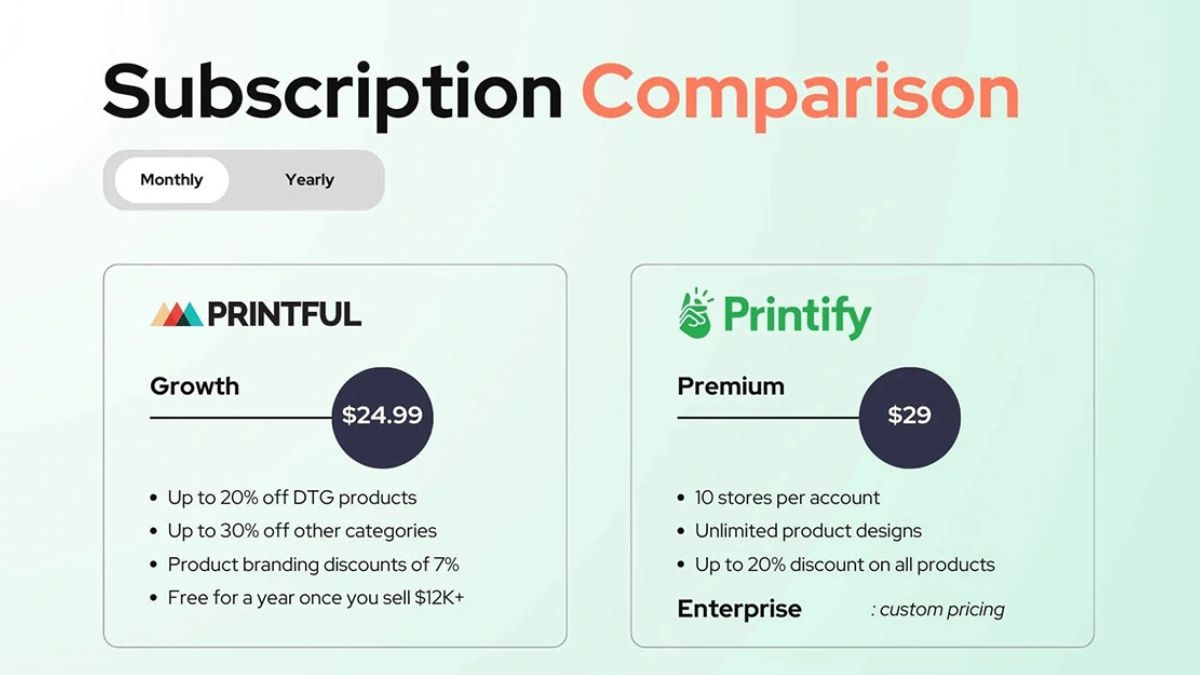
But great marketing needs great products behind it. Join Printful for high-quality products and branded packaging, and join Printify for a wide catalog and competitive pricing. Both are free to open, so you can create products, order samples, and start pinning right away. Set up your Pinterest business account this week, publish your first pins, and let your store get discovered!










Leave a Reply