

I still remember holding the first proof copy of a simple gratitude journal I’d designed on my laptop. It had a plain cover, lined pages, and a few prompts, and I was ridiculously proud of it. When the first sale notification arrived, I laughed out loud, because a stranger had paid me for a book I’d finished in a weekend.
If you’re curious about Amazon KDP low-content books, here’s what you need to know: Kindle Direct Publishing lets you design and publish print-on-demand books, including journals, planners, logbooks, and activity books, without holding inventory. Amazon prints each copy when someone orders, and you earn royalties.
In this guide, I’ll walk you through how it works, how to choose niches, how to design your interior and cover, and how to market your books honestly. I’ll also be upfront about the competition, because this space is crowded and quality matters more than ever.
What Are Low-Content Books?
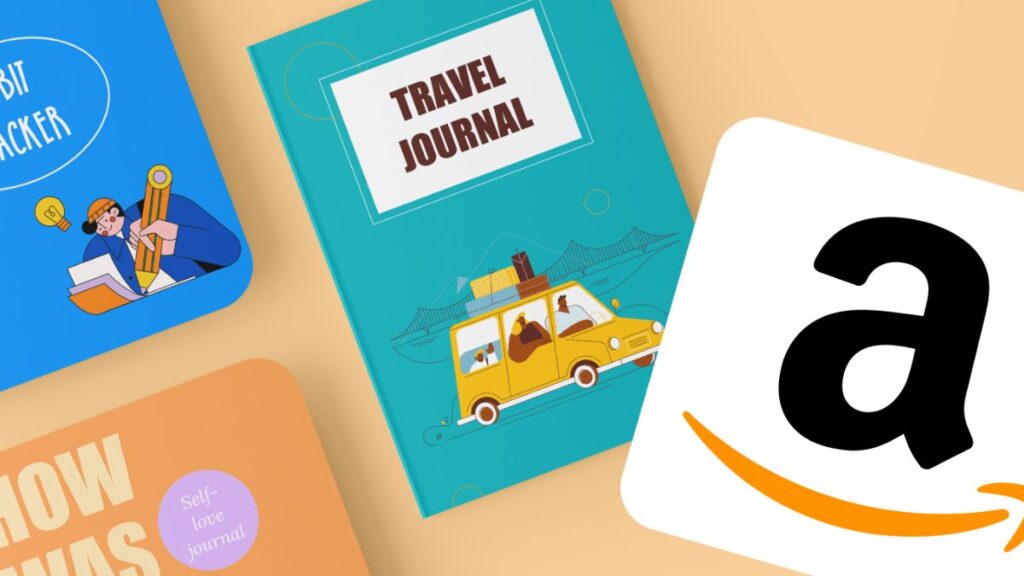
Low-content books have minimal text and are mostly structured pages for users to fill in. Examples include:
- Journals and notebooks with prompts.
- Planners and trackers: budget, meal, habit, and fitness planners.
- Logbooks: mileage logs, reading logs, and gardening logs.
- Activity books: puzzles, mazes, and coloring books.
- Guest books and keepsake books.
Why people try this model:
- No inventory or shipping. Amazon prints and ships on demand.
- Low startup costs. Free design tools can get you started.
- Passive potential. A published book can keep selling.
- Scalable. You can create many books and variations over time.
The honest part: Competition is heavy, and many listings look identical. Amazon’s rules about content quality, originality, and AI-generated material change, so review current KDP guidelines before publishing. Success comes from specific niches, thoughtful design, and good marketing.

Step 1: Understand KDP Basics
- Create a KDP account and complete tax and payment information.
- Choose paperback or hardcover (options vary by marketplace).
- Pick a trim size, such as 6×9 inches or 8.5×11 inches.
- Upload your interior PDF and cover file.
- Set pricing and royalties. Royalty rates depend on price, page count, and print costs, so use KDP’s calculators.
- Publish and wait for review, which can take a few days.
Fees, royalty rates, and rules change, so always check KDP’s current help pages.
Step 2: Choose a Niche With Real Buyers
Generic books get lost. Specific books attract people who feel the book was made for them.
Niche Research Tips
- Browse Amazon’s best-seller lists in categories like Journals, Planners, and Activity Books.
- Read reviews to see what buyers like and what they wish were different.
- Note recurring complaints, such as poor paper size or missing sections.
- Look at seasonal demand, such as back-to-school or holiday planning.
- Check Pinterest and Google for related searches.
Niche Ideas
- Budget planners for freelancers.
- Gratitude journals for busy moms.
- Meal planners for families.
- Reading logs for kids.
- Prayer or reflection journals.
- Fitness trackers for beginners.
- Garden planners.
- Wedding planning workbooks.
Pro tip: Choose a niche you actually understand. Your insider knowledge shows in the layout and prompts.
Step 3: Design Your Book Interior
Good design is what earns reviews.
Interior Basics
- Clear layouts with enough writing space.
- Consistent margins that allow for binding.
- Readable fonts and simple icons.
- Useful prompts or sections rather than endless blank pages.
- A logical flow, such as monthly, weekly, and daily pages.
Tools to Use
- Canva for layouts and templates.
- Book creation software or Google Docs for simple interiors.
- Spreadsheet or design tools for trackers and tables.
Use AI Thoughtfully
AI can help brainstorm prompts, section names, and descriptions. Review the output carefully, add original ideas, and follow Amazon’s current rules about disclosing AI-generated content. The Claude Advantage shows how to prompt effectively so your ideas stay original and helpful.
Step 4: Create a Cover That Sells
Your cover is your storefront.
- Make the title readable at thumbnail size.
- Use strong contrast and clean design.
- Reflect the niche with color and imagery.
- Use KDP’s cover template to size the cover correctly, including spine and bleed.
- Use only fonts, images, and elements you’re licensed to use commercially.
Test your cover by shrinking it. If it’s still clear and appealing, you’re on the right track.
Step 5: Write a Listing That Converts
- Title and subtitle: Include natural, relevant keywords without stuffing.
- Description: Explain who the book is for, what’s inside, and how it helps. Use short paragraphs and bullet points.
- Keywords: Use all seven backend keyword slots wisely.
- Categories: Choose the most relevant ones.
- Pricing: Compare similar books and consider your royalty after print costs.
Step 6: Market Your Books
Amazon traffic helps, but outside marketing builds momentum.
- Pinterest: Create pins showing your interior pages and cover.
- Social media: Share short previews, page flips, and how people use the journal.
- Email list: Offer a free printable sample page in exchange for subscribers.
- Blog posts: Write helpful articles that link to your book.
- Amazon ads: Test small budgets once you have a good listing and reviews.
- Ask for honest reviews in line with Amazon’s rules. Never buy or incentivize reviews.
The Digital Marketing Playbook explains beginner-friendly marketing strategies you can apply to book promotion.
Step 7: Build a Catalog and a Brand
One book rarely changes your income. A catalog can.
- Create series, such as a journal with matching planners.
- Update and improve books based on reviews.
- Add variations like different sizes or colors where appropriate.
- Build an author or brand name readers recognize.
A clear brand helps people choose you again. The Personal Brand Blueprint can guide you in shaping one. If you want to explore related digital product ideas, The Stay-At-Home Mom’s Guide to Making Money Online offers more.
A Sample 30-Day KDP Launch Plan
- Week 1: Research niches, study competitors, and choose one idea.
- Week 2: Design the interior and test pages by printing a few yourself.
- Week 3: Create the cover, write the listing, and upload to KDP.
- Week 4: Order a proof copy, fix issues, publish, and start promoting.
Money and Legal Basics
- Track income and expenses.
- Save for taxes. Consult a qualified professional, especially for international sellers.
- Respect copyright and trademarks. Avoid using brand names or protected characters.
- Follow KDP content guidelines.
For friendly money management tips, The Smart Mom’s Complete Guide to Money is a great starting point.

Common Quality Problems to Check Before Publishing
Many low-content books get poor reviews for avoidable reasons. Before you hit publish, review this checklist:
- Margins: Make sure text and lines aren’t cut off near the spine.
- Page count: Confirm it matches your cover spine calculation.
- Paper and ink choice: Consider whether your design will look good on the chosen paper type.
- Writing space: Leave enough room for real handwriting.
- Typos and spelling: Proofread titles, prompts, and descriptions twice.
- Page numbering and dates: For undated planners, make sure the instructions are clear.
- Interior consistency: Fonts, icons, and layouts should match throughout.
Ordering a proof copy is worth every cent. Holding the book in your hands reveals problems that screens hide, and fixing them before launch protects your reviews and your reputation.
Seasonal Planning for KDP Sellers
Demand for journals and planners rises and falls with the calendar. Plan ahead:
- Planners: Start preparing in late summer for the new-year rush.
- Back-to-school logs and trackers: Publish a couple of months before term starts.
- Gift journals: Prepare for holiday seasons well in advance, since review and approval take time.
- Fitness and habit trackers: Many shoppers buy in the first weeks of the year.
Keep a simple calendar of your launch dates, and aim to publish early enough that your listing can gather visibility and reviews before the peak season arrives.
Mistakes to Avoid
- Publishing identical copies of existing books. Originality matters.
- Choosing broad niches. Specific wins.
- Ignoring the proof copy. Quality problems show up on paper.
- Using unlicensed fonts or images.
- Expecting instant sales. Most books need promotion and time.
Quick Answers About KDP Low-Content Books
Is KDP low-content still profitable? It can be, but it’s competitive. Specific niches, quality design, and marketing improve your chances.
How much does it cost to start? Many people start with free tools, plus optional costs for design resources and proof copies.
Do I need design skills? Basic skills and tools like Canva are usually enough to begin.
Can I use AI to create books? Check Amazon’s current policy, and always add original value and review everything carefully.
Your First Book Is Closer Than You Think
Making money with Amazon KDP low-content books is about solving a small, real problem for a specific group of people. Choose a niche, design with care, write a clear listing, and promote consistently.
This week, research three niches and sketch one book outline. Trust me, holding your first proof copy is a feeling you’ll want again. Let’s get designing!






Leave a Reply