


The first time I used Claude, I typed something like, “Write me a blog post about productivity.” What came back was fine. It was also completely forgettable, the kind of post that could have been written by anyone, for anyone. I blamed the AI. Then a friend asked to see my prompt, laughed kindly, and said, “You gave it nothing to work with.”
She was right. And here’s the part nobody tells you: the newest Claude models are better at following detailed instructions than ever. Anthropic says Claude Opus 5.5 is more likely to put the most important information up front, avoid jargon, and follow the writing rules you give it. That means the effort you put into your prompt now pays off more than ever.
In this guide, I’ll share 12 prompting techniques for Claude that I use every single week, with examples you can copy, paste, and adapt. No technical background needed.
Technique 1: Give Claude a Clear Goal
Start with what you want to end up with, not just the topic.
Weak: “Help me with my newsletter.”
Better: “Write a 300-word welcome email for new subscribers to my newsletter about budget-friendly meal planning. The goal is to get them to reply with their biggest dinner-time struggle.”
Technique 2: Tell Claude Who the Audience Is
The same information lands differently for a beginner, an expert, or a skeptical client.
“Explain how email segmentation works to a first-time online course creator who feels overwhelmed by tech.”
Technique 3: Provide Context and Background
Claude can’t read your mind, but it can use whatever you share. Include relevant facts: your business, your offer, your tone, past results, and constraints.
“I run a small bookkeeping service for freelance designers. My clients are busy, creative, and nervous about taxes. Here is my current service page: [paste text]. Suggest five improvements.”
Technique 4: Be Specific About Format and Length
Say exactly what you want back: bullets, a table, a script, a two-paragraph summary, a 10-slide outline.
“Give me five subject line options, each under 50 characters, with a one-sentence explanation of why it might work.”

Technique 5: Show Examples (Good and Bad)
Examples are one of the most powerful tools. Paste a sample you love and tell Claude what you like about it. You can also include a negative example.
“Write in a style similar to this example: [paste]. I like the short sentences and warm humor. Avoid corporate buzzwords like ‘synergy’ and ‘leverage.'”
Technique 6: Ask for Step-by-Step Thinking
For complex tasks, ask Claude to work through the problem in stages. This often improves quality for planning, analysis, and decisions.
“Walk through this pricing decision step by step: list the factors, compare my three options, and then recommend one with your reasoning.”

Technique 7: Use Structure to Separate Your Material
When you paste a lot of content, label the parts so Claude doesn’t confuse your instructions with your documents. Tags work well:
<instructions>Summarize the feedback into three themes with one example quote each.</instructions><feedback>[paste customer comments here]</feedback>
You don’t have to use code-like tags. Even simple headings such as “INSTRUCTIONS” and “MATERIAL” help.
Technique 8: Set Writing Rules
Because newer models follow writing rules more reliably, it’s worth creating a short “style guide” and reusing it:
- Write at an 8th-grade reading level.
- Use short paragraphs and plain words.
- Put the key takeaway in the first sentence.
- No exclamation marks, no emojis.
- Don’t start sentences with “In today’s world.”
Paste it at the start of a conversation, or save it in your Claude preferences or style settings so it applies automatically.
Technique 9: Let Claude Ask You Questions
If you’re not sure what details Claude needs, flip the script.
“I want to create a lead magnet for my coaching business. Before you suggest anything, ask me up to five questions that will help you give a better answer.”
This single trick has saved me countless rounds of back-and-forth.
Technique 10: Iterate Instead of Starting Over
Great results rarely come from the first try. Treat the first answer as a draft and give specific feedback:
- “Make the opening more personal and cut the second paragraph.”
- “Keep the structure, but make the tone warmer.”
- “Give me three alternatives to the headline, one funny, one practical, one bold.”
Specific feedback beats “make it better” every time.
Technique 11: Match the Model and Effort to the Task
Not every task needs the biggest model or the longest thinking. According to Anthropic, the default effort in the Claude apps is Medium, and lower settings answer faster and use fewer tokens while higher settings reason longer and check work more thoroughly. A quick social caption doesn’t need maximum effort. A detailed business plan might.
A simple rule: start with Sonnet at default settings, and move to Opus or higher effort only when the answer isn’t deep enough.
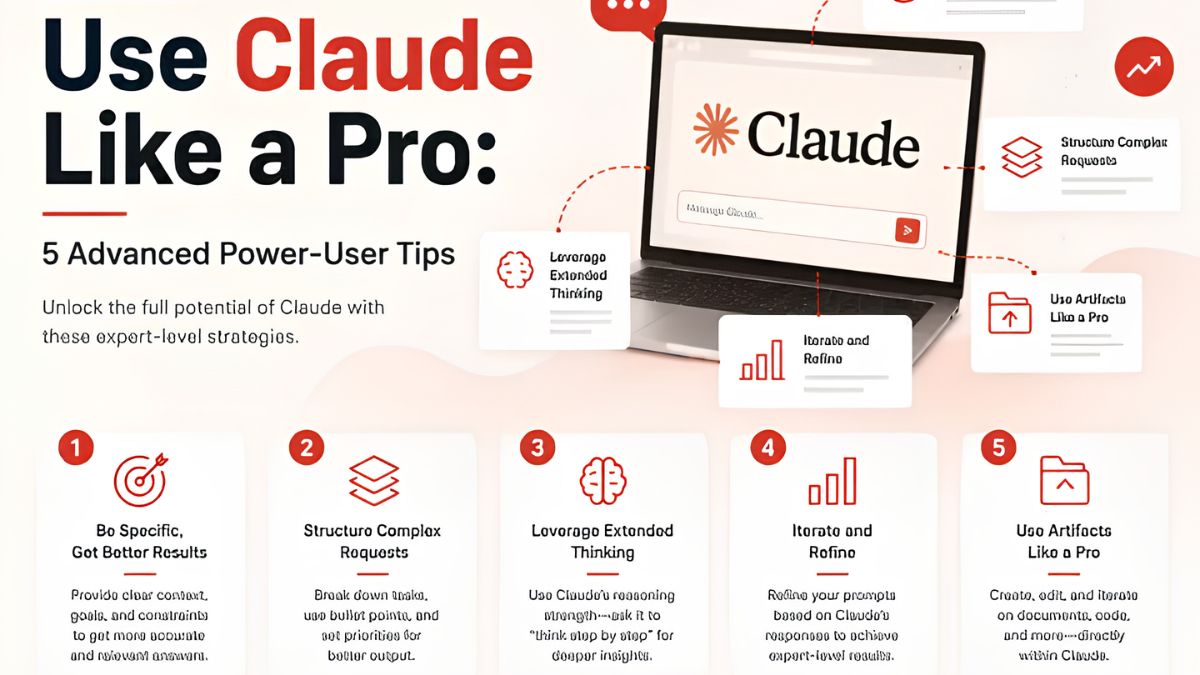
Technique 12: Check the Work
Even the best AI can make mistakes. Build a verification habit:
“List the factual claims in your answer that I should double-check, and tell me where you’re least certain.”
Then verify numbers, names, laws, prices, and anything that matters before you publish or act on it.
A Prompt Template You Can Steal
Here’s my all-purpose template. Fill in the brackets.
Goal: [What I want to create or decide] Audience: [Who it’s for] Context: [Relevant background, files, or facts] Format: [Length, structure, and style] Examples: [Something I like, and something to avoid] Rules: [Tone, words to use or avoid] Before you start: [Ask me questions if anything is unclear]
Before and After: A Real Example
Before: “Write a LinkedIn post about my new service.”
After: “Write a LinkedIn post announcing my new ‘Brand Voice Audit’ service for small business owners. Audience: women who run service businesses and struggle to sound consistent online. Tone: warm, confident, no jargon. Length: 150 to 200 words. Start with a relatable problem, share one quick tip, and end with a soft invitation to send me a DM. Avoid hashtags and emojis. Ask me one question first if you need more information.”
Same request. Completely different result.
Save Your Best Prompts
The real productivity jump comes when you stop rewriting prompts from scratch:
- Keep a document of your top 10 prompts.
- Use Claude’s Projects to store context, files, and instructions for ongoing work, so you don’t have to re-explain your business each time.
- Turn repeated tasks into saved skills or workflows.
- Update your prompts when you find improvements.

Common Prompting Mistakes
- Being vague. “Make it good” gives Claude nothing to aim at.
- Dumping everything in one giant message without labels or priorities.
- Accepting the first draft without feedback.
- Forgetting to share your voice. Include samples of your real writing.
- Pasting private data you shouldn’t share. Remove names and sensitive details.
- Skipping fact-checks on anything that matters.
Go Beyond Prompts and Build a System
Great prompts are just the beginning. The biggest results come when you combine them with saved context, repeatable workflows, and the right tools. If you’d like a step-by-step playbook for turning Claude into a reliable business assistant, check out my guide:

Trust me, a good prompt library is like having a team that already knows how you work.
Final Thoughts
The difference between a forgettable AI answer and a genuinely useful one almost always comes down to the quality of your instructions. Be clear about the goal, share context and examples, set your rules, ask Claude to question you, and iterate. Start with just three of these techniques this week and watch your results change.










Leave a Reply