


I used to check my email dashboard the way some people check the weather: quickly, hopefully, and with a strong emotional reaction. A high open rate meant a good day. A low one meant I was a terrible marketer. Then one week my open rate jumped, my clicks dipped, my sales stayed flat, and I realized I’d been grading myself on a metric that no longer meant what I thought it did.
If you’ve noticed the same pattern, you’re seeing one of the biggest shifts in email in years. Inbox providers are using AI to summarize, sort, and prioritize messages. Gmail’s AI features can generate summaries and push urgent items like bills above promotional clutter, which changes who sees your email, when, and in what form.
In this guide, I’ll explain how AI inboxes are changing email marketing, which metrics to trust now, and a simple set of habits that keep your emails reaching (and moving) real people.
What the Data Is Showing
Industry analyses of large volumes of email have pointed to a consistent pattern since AI summaries began rolling out:
- Open rates went up. One analysis reported an open rate around 45.6%.
- Clicks went down. The same analysis found unique click-through fell from about 4.35% to about 3.93%. Newsletter click-through dropped from roughly 7.68% to 6.78%, and promotional emails showed higher opens but lower clicks.
- A likely explanation: AI tools may open messages automatically to generate summaries, which inflates opens. Some readers who would have clicked may also feel they got what they needed from the summary.
Treat these as directional, since researchers can’t see inside every inbox. But the lesson is solid: open rate is now a weaker signal of human attention.
How AI Inboxes Change the Rules
Industry commentary highlights a few shifts:
- Your email may be read by a summarizer before a person. Clear structure and value matter more than clever tricks.
- Content quality can influence placement. Gmail’s systems appear to look at clarity, structure, and usefulness on top of traditional spam filters.
- Prioritization is happening automatically. Promotional messages can be pushed lower while time-sensitive messages rise.
- Sender reputation still decides the basics. Complaint rates, authentication, list hygiene, and one-click unsubscribe still determine whether you reach the inbox at all.
Here’s the truth: AI didn’t kill email marketing. It raised the price of sending boring, unwanted, or poorly set up emails.
The Metrics to Trust Now
Stop leaning on opens. Build your dashboard around outcomes:
- Click-through rate and click-to-open rate, read carefully and compared over time
- Conversions and revenue per recipient (total email revenue divided by recipients)
- Reply rate, especially for relationship and service businesses
- List growth and unsubscribe rate
- Spam complaint rate, where staying well under about 0.3% is widely recommended by deliverability experts
- Inbox placement, if your email platform offers testing
If you track year-over-year performance, rebase your benchmarks around clicks and revenue, since opens before and after AI summaries aren’t comparable.
Deliverability Basics Everyone Should Check
These technical steps protect your reach:
- Authenticate your domain with SPF, DKIM, and DMARC. Your email platform’s help center walks you through it.
- Keep your list clean. Remove addresses that haven’t engaged in a long time and never buy lists.
- Make unsubscribing easy, including one-click unsubscribe where required.
- Keep complaints low by only emailing people who asked to hear from you.
- Send consistently, rather than going quiet for months and then blasting everyone.
- Use a recognizable sender name and a real reply-to address.
How to Write Emails That Survive Summaries
If an AI condenses your email to two lines, which two lines would you want?
- Lead with the point. Put the key message, offer, or takeaway in the first few sentences.
- Use clear structure: short paragraphs, one idea per section, and plain headings.
- Make the call to action obvious and specific: “Download the checklist,” not “Click here.”
- Give a reason to click beyond the summary: a template, a tool, a deadline, or a story that deserves the full read.
- Be useful. Emails that teach, solve, or entertain earn attention, while generic promotions get pushed aside.
- Write like a person. Personal, conversational emails that invite replies tend to perform better than heavy design.
Subject Lines and Preview Text
With summaries and previews doing more work, subject lines still matter, but honesty matters more:
- Be clear and specific about what’s inside.
- Avoid misleading or spammy phrasing.
- Use preview text to add information, not repeat the subject.
- Test two versions, but judge the winner by clicks and conversions, not opens.
Automations Beat One-Off Blasts
Automated emails usually earn better engagement than manual sends because they arrive at the right moment. Start with three:
- Welcome sequence: 3 to 5 emails introducing you, your best content, and one simple offer.
- Abandoned cart or interest follow-up: a helpful reminder, not a pushy one.
- Post-purchase sequence: how to use the product, ask for a review, and suggest a next step.
Segment your list by interest or behavior so each message feels relevant.
A Simple Testing Plan
Run one test at a time for four weeks:
- Week 1: Test subject line styles (clear versus curious) and measure clicks.
- Week 2: Test where the call to action appears (top versus bottom).
- Week 3: Test email length (short versus detailed).
- Week 4: Test sending time and review all results by revenue per recipient.
Use AI Carefully in Your Email Workflow
AI can help draft subject lines, outlines, and first versions, but your readers can usually tell when everything sounds generic. Keep the draft-and-approve habit: AI drafts, you edit in your voice, check the facts and links, then send.
Mistakes to Avoid
- Celebrating opens.
- Skipping authentication.
- Emailing people who never opted in.
- Sending only promotions.
- Ignoring unsubscribes and complaints.
- Publishing unedited AI copy.
Your 14-Day Email Tune-Up
- Days 1-2: Check SPF, DKIM, DMARC, and your unsubscribe process.
- Days 3-4: Clean inactive subscribers or run a re-engagement email.
- Days 5-7: Rewrite your welcome email with the key point first.
- Days 8-10: Set up a dashboard around clicks, conversions, and revenue per recipient.
- Days 11-14: Launch one A/B test and review results by revenue.
Build Email Into a Complete System
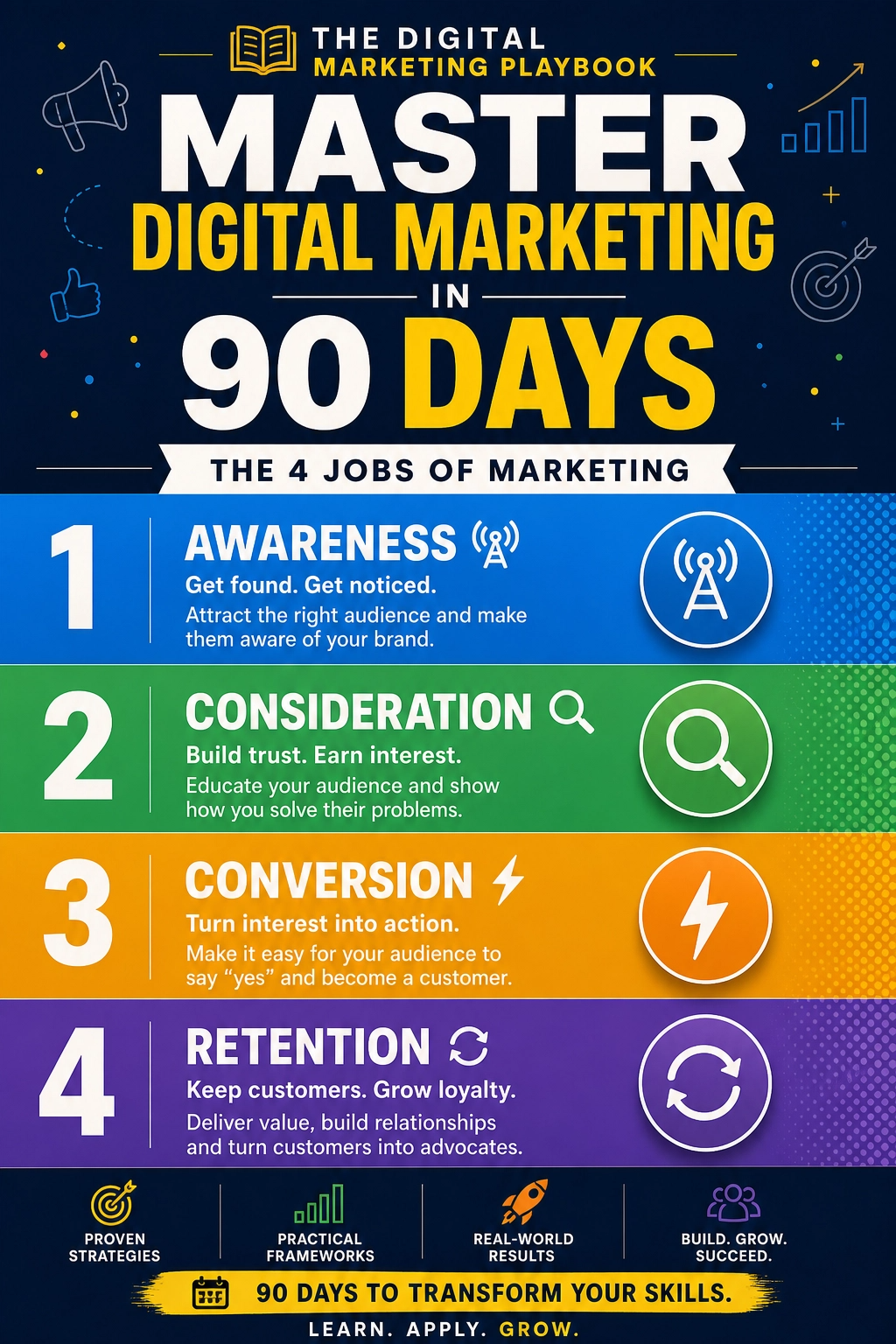
Email works best as the owned channel at the center of a bigger plan that includes search, social, and content. If you want a step-by-step guide to building that system, take a look at my ebook:
The Digital Marketing Playbook
Trust me, a good email program makes every other channel work harder.
Final Thoughts
AI inboxes make email marketing less about tricks and more about trust. Measure outcomes instead of opens, keep your technical setup and list clean, write for both summarizers and humans, and send things people are glad to receive. The marketers who adapt will find that email remains one of the most reliable channels they own.








Leave a Reply