


Did you know the average professional spends nearly 18 hours a week in meetings, and a huge chunk of that time is considered unproductive by the people sitting in them? I remember when I first started managing a small remote team — I thought more meetings meant more communication. Boy, was I wrong. My calendar was a wall of back-to-back calls, and my actual work kept getting pushed to after 6pm.
Here’s the truth: the problem was never meetings themselves. It was that I had no system for running them. Once I built one, I cut my weekly meeting time by almost half — and somehow, communication actually got better, not worse.
In this comprehensive guide, I’ll walk you through exactly how to plan, run, and follow up on meetings so they respect everyone’s time and actually move your work forward — whether you’re managing a team, working with clients, or just trying to survive your own overloaded calendar.
Why So Many Meetings Feel Like a Waste of Time
Let me share what I learned the hard way: most bad meetings aren’t bad because the topic was wrong. They’re bad because there was no structure. No agenda, no clear owner, no defined outcome — just a group of people talking in circles until the calendar says it’s time to stop.

The most common meeting mistakes:
- No agenda sent in advance, so people show up unprepared
- No clear decision-maker, so nothing actually gets decided
- Too many people invited “just in case”
- No time limit, so discussions naturally expand to fill the whole slot
- No follow-up, so action items disappear into thin air
Sound familiar? Here’s the good news — every one of these is fixable with a little structure.
Step 1: Ask “Does This Need to Be a Meeting?”
This might be the single biggest game-changer in my own work: before scheduling anything, I now ask myself one question — could this be a message, an email, or a shared document instead?
A meeting is usually necessary when:
- A decision needs real-time input from multiple people
- There’s genuine disagreement that needs discussion, not just information
- The topic is sensitive and deserves a human conversation
- You need to build alignment or buy-in across a team
A meeting is probably NOT necessary when:
- You’re just sharing updates that could be written down
- Only one or two people actually need to weigh in
- The outcome doesn’t change based on discussion
Pro tip: If you can’t clearly state what decision or outcome the meeting is for, it’s not ready to be scheduled yet.
Step 2: Always Send an Agenda in Advance
I used to walk into meetings thinking on my feet, and it showed. Now, I never schedule a meeting without a short written agenda sent at least a few hours ahead — sometimes the night before.
A simple, effective agenda includes:
- The purpose of the meeting (one sentence)
- 3–5 discussion points, in order of priority
- Any materials people need to review beforehand
- The intended outcome (“decide on X” or “align on Y”)
Here’s what I learned the hard way: when people know exactly what’s being discussed, meetings move faster and stay focused, because nobody’s improvising.
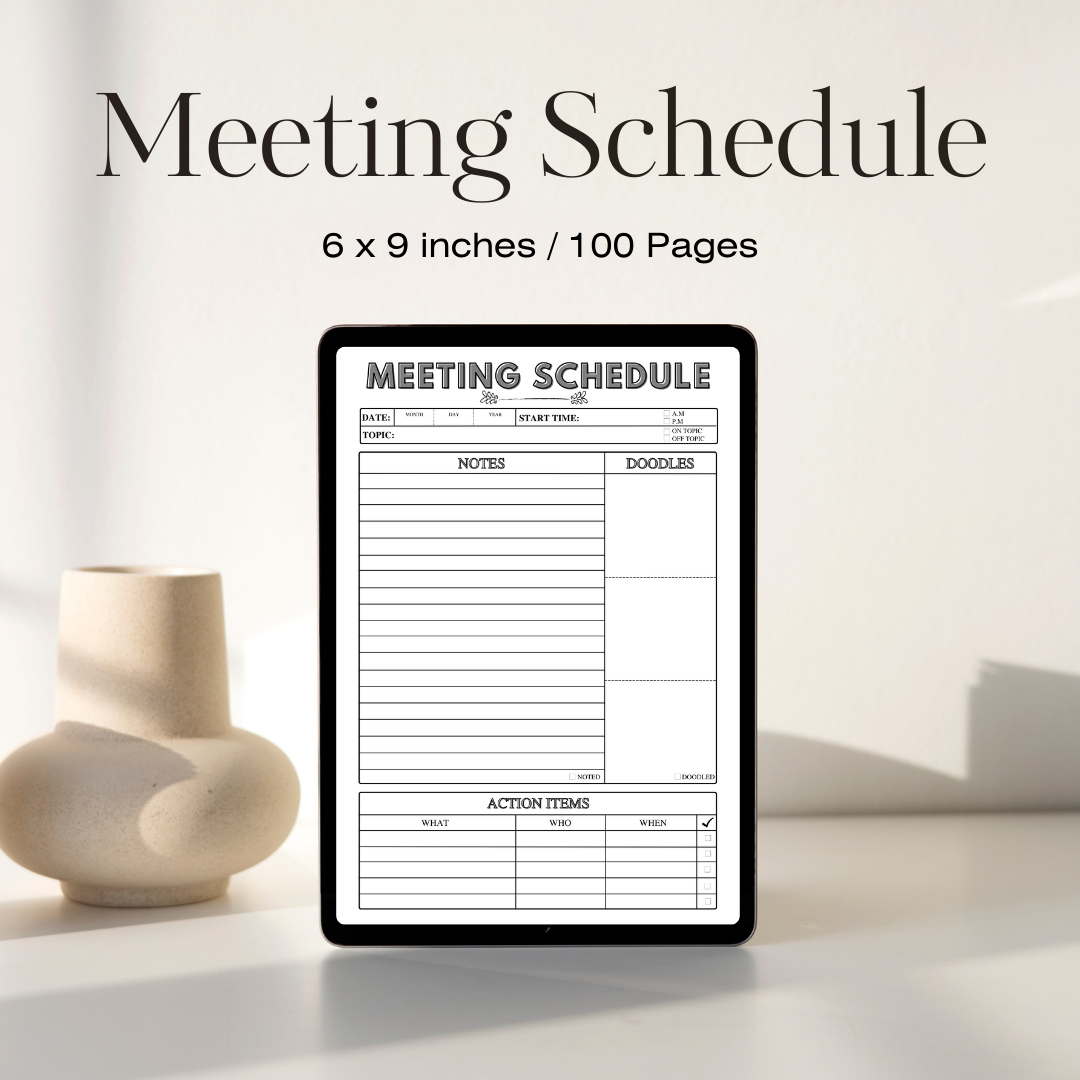
This is exactly the kind of structure I now build directly into my planning system. I use a Meeting Schedule template to map out my agenda, attendees, and key talking points before every single call — it takes five minutes and saves me twenty.
BUY NOW!
Step 3: Invite Only the People Who Actually Need to Be There
Little did I know that “just loop everyone in” was quietly wasting hours of other people’s time every week. A meeting with the wrong attendee list isn’t more collaborative — it’s just less efficient.
Ask before every invite:
- Does this person need to make a decision, or just receive information afterward?
- Can they be looped in with meeting notes instead of attending live?
- Is there a smaller group who could actually resolve this faster?
A smaller, focused group with real decision-making power will always outperform a large, passive audience.
Step 4: Set a Real Time Limit (And Stick to It)
Here’s the thing — work naturally expands to fill the time available. If you book an hour, the discussion will find a way to use the full hour, even if it could’ve wrapped in twenty minutes.
Try this instead:
- Default to 25 or 45-minute meetings instead of 30 or 60
- Put a visible timer on-screen for time-sensitive discussions
- Assign someone (even yourself) to gently redirect if a topic runs long
- End with 5 minutes to summarize decisions and next steps, every time
Pro tip: Shorter default meeting lengths force sharper agendas. It’s a small shift with a surprisingly big impact.

Step 5: Assign a Clear Owner for Every Decision and Action Item
I used to leave meetings with a vague sense that “we agreed on stuff,” and then nothing would actually happen afterward. Big mistake. Vague agreement is not the same as clear ownership.
Before ending any meeting, confirm out loud:
- What was decided?
- Who is responsible for the next step?
- What’s the deadline?
Write this down in real time — don’t rely on memory, yours or anyone else’s. This is where having a structured note-taking template inside your meeting planner really pays off, because it forces you to capture decisions and owners as they happen instead of trying to reconstruct them afterward.
Step 6: Send a Short Recap Immediately After
This one habit alone eliminated most of my team’s follow-up confusion. Within an hour of the meeting ending, send a short recap that includes:
- Key decisions made
- Action items with names and deadlines attached
- Any open questions still unresolved
You don’t need a formal document — a few clear bullet points in an email or chat message is enough. The goal is simply that nothing gets lost once people go back to their own busy days.
Step 7: Batch Your Meetings Instead of Scattering Them
Here’s something that took me way too long to figure out: constant context-switching between meetings and deep work is exhausting, even if each individual meeting is short. Now, I batch most of my calls into two windows — late morning and early afternoon — and protect the rest of my day for focused work.
Try batching your week like this:
- Designate 1–2 “meeting windows” per day
- Keep at least one meeting-free day for deep work, if your role allows it
- Group similar meetings together (all client calls, then all internal check-ins)
This structure alone can free up hours of uninterrupted focus time every single week.
Common Meeting Mistakes to Avoid
- Scheduling a meeting because it feels productive, without a clear outcome in mind
- Inviting too many people “to be safe” instead of who’s actually needed
- Letting discussions wander without gently steering back to the agenda
- Skipping the recap and hoping everyone remembers the same thing
- Never reviewing whether recurring meetings still need to exist
Pro tip: Every quarter, look at your recurring meetings and ask honestly — is this still earning its spot on the calendar?

Handling Meetings You Didn’t Schedule
Not every meeting on your calendar is one you control, and I know that’s a big part of the frustration for a lot of people reading this. Here’s what I’ve learned about influencing meetings you’re invited to but didn’t organize.
If you’re a required attendee but not the organizer:
- Politely ask for an agenda ahead of time if one wasn’t sent — most people are happy to share once asked
- Suggest a shorter time block if the meeting is recurring and consistently ends early
- Offer to send a written update instead, if your role feels more like “listener” than “contributor”
- Bring your own short list of talking points so you contribute efficiently instead of thinking on the spot
If you’re the one organizing on behalf of someone else:
- Loop in the actual decision-maker early to confirm the meeting’s purpose before it’s even scheduled
- Keep a running list of recurring meeting complaints so you can propose changes with evidence, not just opinion
Remote and Hybrid Meeting Considerations
Running meetings with a mix of in-person and remote attendees adds its own layer of complexity, and I learned a lot of this through trial and error managing a partly remote team.
A few things that make hybrid meetings noticeably better:
- Make sure remote attendees can hear and see clearly — test your setup before important calls, not during them
- Actively invite remote voices into the discussion; it’s easy for in-person energy to dominate without meaning to
- Keep shared notes visible to everyone in real time, not just written on a whiteboard only in-person folks can see
- Record meetings when appropriate, so people in different time zones aren’t forced into inconvenient hours just to stay informed
Frequently Asked Questions
How short is too short for a meeting? There’s no universal rule, but if you consistently can’t cover your agenda in 25 minutes, it’s worth asking whether the agenda itself is too broad rather than assuming you need more time.
What if my team culture expects hour-long meetings by default? Start by shortening just your own meetings and demonstrating that shorter, focused sessions still get results. Culture shifts are usually built through example, not mandate.
Should every meeting have a written recap, even small ones? For quick two-person check-ins, a recap might just be a one-line message confirming next steps. For anything involving decisions or multiple people, yes — always put it in writing.
How do I push back on a meeting invite that doesn’t seem necessary? Ask the organizer directly what decision or outcome the meeting is meant to produce. Often, just asking that question prompts them to reconsider whether a meeting is truly needed.
Final Thoughts
Effective meetings aren’t about talking less or being colder about collaboration — they’re about respecting everyone’s time enough to show up prepared, stay focused, and leave with clear next steps. Start small: send an agenda before your very next meeting, trim the attendee list, and end with a clear recap. You’ll be amazed how much smoother — and shorter — your workweek starts to feel.
Trust me, once you experience a genuinely well-run meeting, you’ll never want to go back to the old way.










Leave a Reply