

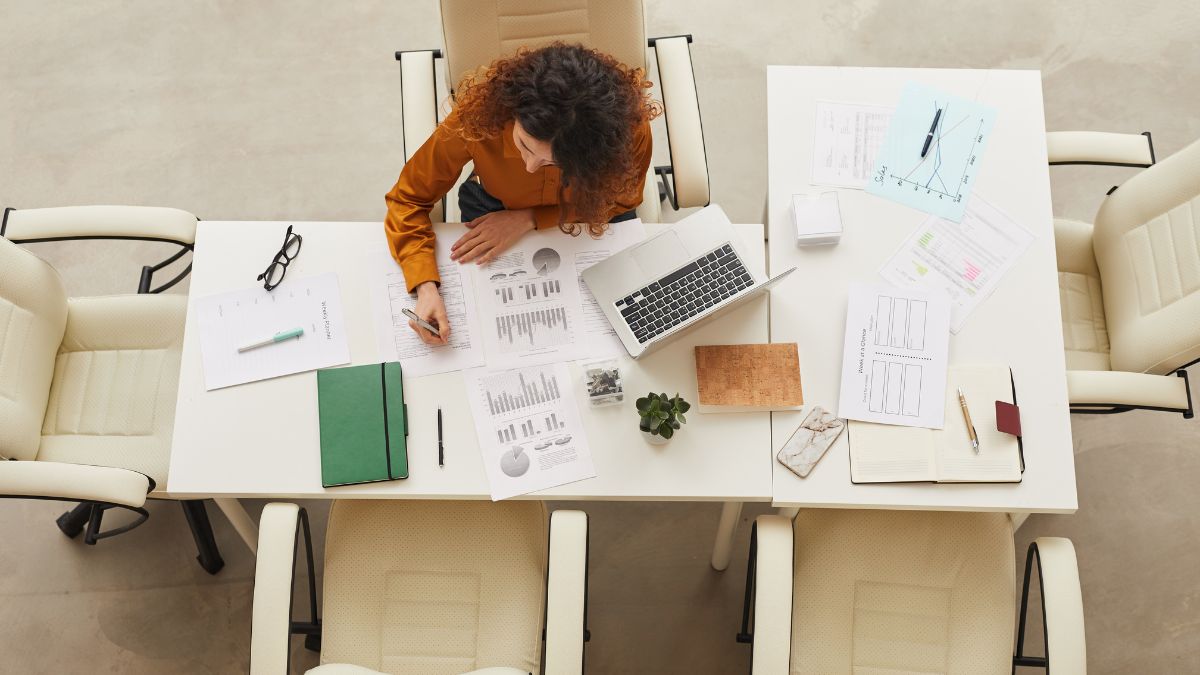
It’s one of the most debated questions in the planning world: should you use a paper planner or a digital one?
Paper lovers swear by the satisfaction of pen on page. Digital fans love the convenience of reminders and syncing across devices. Both sides have good arguments, and the truth is that neither is universally better. The best planner is the one you’ll actually use.
In this guide, I’ll compare paper and digital planners honestly, explain who each works best for, and show you how to combine them in a hybrid system if you want the best of both worlds.
Why the Planner Matters Less Than the Habit
Before we compare, a reminder: a planner is only a tool. A beautiful, expensive planner that sits unused won’t help you, and a simple notebook that you check daily can transform your productivity. What matters is:
- Consistency: Do you open it every day?
- Clarity: Does it show you what matters most?
- Simplicity: Is it easy enough to maintain?
- Fit: Does it match how you think and work?
Keep these in mind as we dive in.

The Case for Paper Planners
Pros
Better focus. There are no notifications, pop-ups, or temptations to check social media. Paper keeps you present with your plans.
Satisfying to use. Many people enjoy writing by hand, checking off tasks, and decorating pages. This can make planning feel like a treat, not a chore.
Helps with memory. Some research suggests that writing by hand may help with remembering information, though results vary by task and person.
Fully customizable. You can write, sketch, draw, and design however you like, with no template restrictions.
No battery or Wi-Fi needed. It works anywhere, anytime.
Great for reflection. Journaling and planning on paper often feel more personal and calming.
Creates a keepsake. Old planners become records of your life and goals.
Cons
Not easily changed. Crossing out and rewriting can get messy.
Can’t set automatic reminders. You need to remember to check it.
Bulky. Carrying a planner, pens, and extras adds weight.
Not searchable. Finding an old note means flipping through pages.
Can be lost or damaged. Without a backup, a lost planner means lost information.
Cost and storage. Buying a new one each year and storing old ones can add up.
Best for
- People who feel overwhelmed by screens
- Visual and creative thinkers
- Those who enjoy journaling, doodling, or reflecting
- Anyone who wants a distraction-free planning ritual
- People who want to slow down and think

The Case for Digital Planners
Pros
Reminders and alerts. Digital tools can notify you of deadlines and appointments.
Syncing across devices. Access your plans on your phone, tablet, or computer.
Easy to edit and move. Drag, drop, copy, and reschedule tasks in seconds.
Searchable. Find any past note or task quickly.
Shareable. Share calendars with family, teammates, or clients.
Integration. Connect with email, calendars, and other apps.
Eco-friendly and portable. No paper, and everything’s in your pocket.
Backups. Cloud storage protects against loss.
Recurring tasks. Set it once and it repeats automatically.
Cons
Distractions. Notifications and other apps can pull you away.
Screen fatigue. More screen time can tire your eyes and mind.
Less personal. Some people find digital planning less satisfying.
Learning curve. Complex apps can take time to learn.
Dependence on devices. Dead batteries and tech glitches can disrupt your plans.
Subscription costs. Some apps charge monthly or yearly fees.
Over-organizing. It’s easy to spend more time tweaking the system than using it.
Best for
- Busy people with lots of appointments and recurring tasks
- Teams or families who need shared calendars
- People who are comfortable with technology
- Those who need frequent reminders
- Anyone who wants searchable notes
Quick Comparison

Printable and Editable Planners: A Middle Ground

If you can’t decide, printables and editable templates offer a flexible compromise. They let you choose how to use them.
- Print them and use them on paper.
- Fill them in digitally on a tablet or computer.
- Customize layouts, colors, and sections.
- Reprint pages whenever you need more.

For example, the Inbox Tracker (Editable in Canva) and the Diet Journal (Editable Canva Template) are made to be customized and used in whichever format suits you. For paper-first folks, journals such as the Work Day Organizer provide a clean, structured layout for daily planning.

How to Choose: 7 Questions to Ask Yourself
- How do I think best? Do I process ideas better by writing by hand or typing?
- How distractible am I? Will a screen derail my focus?
- How many appointments and recurring tasks do I have? The more complex your schedule, the more helpful digital reminders may be.
- Do I need to share my schedule with others?
- How much do I enjoy the planning process? If it feels like a pleasure, paper may be a good fit.
- Where do I need access to my plans? At my desk, on the go, or both?
- What have I stuck with before? Past experience is a good guide.
Write your answers down and notice which side they point toward.
Build a Hybrid System
Many productive people use both. Here’s a simple way to combine them.
Digital for scheduling
Use a digital calendar for appointments, deadlines, recurring events, and anything that needs a reminder or sharing.
Paper for priorities and thinking
Use a paper planner for daily priorities, to-do lists, brainstorming, and reflection. The tactile experience helps many people focus and think more clearly.
A sample hybrid routine
Sunday (20-30 minutes):
- Do a brain dump on paper with the Brain Dump Worksheets.

- Review your digital calendar.
- Choose your top three goals for the week. The Top 3 Main Goals Right Now Journal is a great place for this.

Each morning (5 minutes):
- Check your digital calendar for appointments.
- Write your top priorities and time blocks on paper.
During the day:
- Let your phone remind you about meetings.
- Use paper for notes and check-offs.
Each evening (5 minutes):
- Review what you completed.
- Move unfinished tasks.
- Glance at tomorrow’s calendar.
Monthly:
- Do a review on paper, and update your digital calendar for the next month.
Tips for Success With Any Planner
Start simple. Don’t build a complicated system you can’t maintain.
Keep it accessible. Put your planner where you’ll see it daily.
Plan at the same time every day. Make it a habit.
Focus on priorities. Don’t list everything. Choose your top three.
Review weekly. Look back to see what worked.
Be flexible. Adjust your system if it isn’t working.
Track habits. A Mini Habit Tracker Journal helps you build the routines that make planning stick.
Avoid comparison. Someone else’s elaborate planner setup doesn’t have to be yours.

Planning for Business Owners
If you run a business, your planning needs may include both paper and digital tools:
- Digital: Calendars, email, customer messages, and online sales dashboards.
- Paper: Daily priorities, order tracking, and monthly reviews.

A practical setup might include an Order Form Journal for handwritten order details, a Monthly Business Tracker for numbers, and a digital calendar for deadlines.

Common Planner Mistakes
Switching systems constantly. Give any system at least a few weeks before judging it.
Choosing based on looks. Function matters more than aesthetics.
Over-decorating. Don’t let decorating take more time than planning.
Overloading your days. Plan realistically.
Not reviewing. A plan without review is just a list.
Using too many tools. Two or three is plenty.
Feeling guilty. If you stop using your planner for a week, simply pick it up again.

Planner Decision Checklist
[ ] Think about how you work best
[ ] Consider your schedule’s complexity
[ ] Decide whether you need reminders
[ ] Choose paper, digital, or a hybrid
[ ] Pick a simple layout
[ ] Set a daily planning time
[ ] Test for a month
[ ] Review and adjust
Final Thoughts
There’s no single “right” planner. Paper offers focus, reflection, and creative freedom. Digital offers reminders, flexibility, and convenience. Many people find that a hybrid approach gives them the best results.
Try one system for a month, notice how it feels, and keep what works. Your perfect planner is the one that helps you show up for your priorities, day after day.
Ready to find your system? Try the Work Day Organizer for paper planning, the Inbox Tracker (Editable in Canva) for flexible digital use, and the Brain Dump Worksheets to clear your mind before you plan.








Leave a Reply