


Take a deep breath and open your email. How many unread messages are waiting? Fifty? Five hundred? Five thousand? If seeing that number gives you a knot in your stomach, you’re in good company.
Email was supposed to make communication easier. Instead, for many women running businesses, managing families, or juggling careers, it has become a never-ending to-do list controlled by other people. Messages arrive faster than you can reply, important requests get buried, and you spend half your day in your inbox without feeling productive.
The solution is not answering every message instantly. It’s building a system. In this guide, you’ll learn how to approach inbox zero, which means an inbox that’s organized and under control, not necessarily empty every minute of the day.
What Inbox Zero Really Means
Inbox zero doesn’t mean never receiving email. It means you handle your messages intentionally so none of them demand mental energy once they’re processed. Your inbox becomes a place to process items, not store them.
The benefits are huge:
- Less stress: You stop worrying about what you’ve missed.
- Faster responses: Clients and collaborators notice your reliability.
- More focus: You decide when to check email instead of being controlled by it.
- Better opportunities: Important messages don’t get lost.
Step 1: Decide When You’ll Check Email
Constant checking destroys concentration. Instead of leaving your inbox open all day, choose specific times, such as 9 AM, 12:30 PM, and 4 PM. Between those windows, close your tabs and silence notifications.
Many people find that two to three scheduled sessions are enough. If someone needs you urgently, they’ll call or text. Add your email windows to your Daily Planner Editable Canva Template so they’re part of your plan, not a constant interruption.

Step 2: Do a One-Time Cleanup
If your inbox is overflowing, don’t try to fix it overnight in perfect order. Use this simple approach:
- Create an “Archive Before Today” folder. Move everything older than a week or two into it. If something truly important is there, someone will follow up.
- Unsubscribe aggressively. Spend 15 minutes unsubscribing from newsletters and promotions you never read.
- Create a few simple folders or labels. For example: Action, Waiting, Reference, and Clients.
- Process what remains, starting with the most recent messages.
Suddenly your inbox feels manageable.

Step 3: Apply the 4 D’s to Every Email
For each message, make a quick decision using the 4 D’s:
- Delete: If it’s irrelevant, trash it.
- Do: If it takes less than two minutes, reply right away.
- Delegate: If someone else should handle it, forward it with clear instructions.
- Defer: If it needs more time, move it to your Action folder and schedule time to complete it.
Making a decision on each message prevents you from re-reading it again and again.

Step 4: Track Important Messages and Follow-Ups
Some messages need more than a folder. Client requests, collaboration offers, invoices, customer questions, and deadlines need active tracking. This is where an Inbox Tracker (Editable in Canva) becomes a lifesaver. You can log the sender, subject, priority, due date, and status, so you always know what you’ve answered and what’s still waiting.
Because it’s editable in Canva, you can customize the categories, colors, and layout to fit how you work, and print it or use it digitally.

Step 5: Use Templates for Common Replies
If you find yourself typing the same answers repeatedly, create templates. Common examples include:
- Thank-you replies
- Pricing or product information
- Scheduling requests
- Polite declines
- Follow-up reminders
Save them in your email program’s canned responses or in a document. You’ll respond faster, stay consistent, and still add a personal touch.
Step 6: Write Shorter, Clearer Emails
Long messages take longer to write and read. Keep yours simple:
- Use a clear subject line, such as “Question about May Invoice”
- Put the main point in the first sentence
- Use short paragraphs and bullet points
- End with a specific request or next step
Clear emails reduce back-and-forth and keep your inbox lighter.
Step 7: Set Boundaries
You don’t have to reply immediately to everything. Consider these boundaries:
- Set an auto-responder that says when you’ll reply
- Avoid checking email first thing in the morning, so you can start your day with your own priorities
- Turn off push notifications
- Don’t check email during meals, family time, or the hour before bed
Boundaries protect your focus and wellbeing, and most people respect them.
Step 8: Combine Email With Your Planning System
Your inbox is one source of tasks, but it shouldn’t be your to-do list. Move action items into your planner so they sit beside your other priorities. During your daily or weekly planning session, review your Action folder and schedule specific times for important replies.

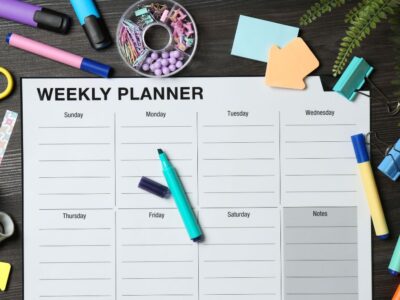
A Weekly Planner gives you a place to allocate time for email follow-ups alongside meetings, projects, and personal commitments. If you manage a lot of calls and appointments, the Meeting Schedule template keeps those commitments in one place too.

Step 9: Do a Weekly Inbox Review
Once a week, spend 15 to 20 minutes to:
- Clear your Action folder
- Check the Waiting folder for people who haven’t replied, and send gentle reminders
- Delete or archive finished items
- Unsubscribe from anything new that doesn’t serve you
This tiny ritual prevents backlogs from forming again.
Step 10: Handle Other Message Sources
Email isn’t the only place messages gather. Social media DMs, text messages, voicemails, and marketplace inquiries can all become chaos. Choose one or two main channels for business, and tell customers where to reach you. Check each channel at set times, and log important requests in your tracker.

Common Inbox Mistakes to Avoid
- Using email as a to-do list. Move tasks to a planner.
- Reading and leaving messages unresolved. Decide immediately.
- Replying instantly to everything. You train others to expect it.
- Keeping hundreds of newsletters. Be selective.
- Skipping follow-ups. Many opportunities are lost because nobody followed up.
Sample Daily Email Routine
- 9:00 AM: Process new messages using the 4 D’s (20 minutes)
- 12:30 PM: Reply to priority items and update your tracker (15 minutes)
- 4:00 PM: Final check, quick replies, and schedule tomorrow’s follow-ups (15 minutes)
That’s 50 minutes a day, down from the several hours many people lose to constant checking. Adjust the times to match your own rhythm.

Email Etiquette That Builds Your Reputation
How you communicate says a lot about how you work. A few simple habits can make your emails stand out professionally. Greet people warmly using their name, and always proofread before sending. Respond within one business day when possible, even if the reply is simply, “Thanks, I’ll get back to you by Friday.” Use “reply all” sparingly, since it often clutters other people’s inboxes. When you’re out of the office, set an auto-reply with your return date and an alternate contact. And when you need something from someone, make your request clear and easy to answer, ideally with a deadline. These small details show respect for other people’s time and make you a pleasure to work with.
Dealing With Difficult or Overwhelming Messages
Some emails trigger stress: an angry customer, a tough request, or a message you simply don’t know how to answer. Resist the urge to reply immediately. Step away, take a breath, and return when you’re calm. Draft your response, then reread it for tone. Stay factual, acknowledge the other person’s concerns, and propose a clear solution or next step. If a message makes you anxious, handle it first thing in a scheduled session instead of letting it hang over your day. Log it in your tracker so you can follow it through to resolution, and remember that most difficult conversations feel less scary once you’ve taken the first step.
Frequently Asked Questions
Do I need to reach zero messages every day? No. The aim is a clear, organized inbox where nothing important gets lost.
How can I stop newsletters from taking over? Unsubscribe from the ones you don’t read, and use filters to send the rest to a folder.
What’s the best way to track follow-ups? A simple tracker listing sender, task, due date, and status works great.
What if I fall behind again? Do a mini cleanup, apply the 4 D’s, and restart your routine. Everyone falls behind sometimes.

Final Thoughts
An organized inbox is a calmer mind. With scheduled email windows, simple decisions, and a reliable tracking system, you can handle your messages with confidence instead of dread.
Set up your Inbox Tracker (Editable in Canva) today and start taking control of your communication. You’ll be amazed at how much space it creates for the work that really matters, boss babe.










Leave a Reply