


When I first opened Claude and saw a dropdown with several model names, I did what most of us do: I picked the biggest one and never looked back. It felt like the “smart” choice. It was also, honestly, a bit like driving a truck to the mailbox. Slower than it needed to be, and I burned through my usage limit faster than I wanted.
Here’s the good news: Anthropic has just completed a new generation of Claude models, and choosing between them is easier than it looks. The Claude 5.5 family now includes Opus, Sonnet, and Haiku, each built for a different kind of work. Pick the right one and you’ll get answers faster, stretch your usage further, and save money if you use the API.
In this guide, I’ll explain what each Claude 5.5 model is best at, how they compare on speed and cost, and a simple cheat sheet for deciding which one to use for your daily tasks.
The Claude 5.5 Family at a Glance
Anthropic released the three models one after another, starting with Opus, then Sonnet, then Haiku.
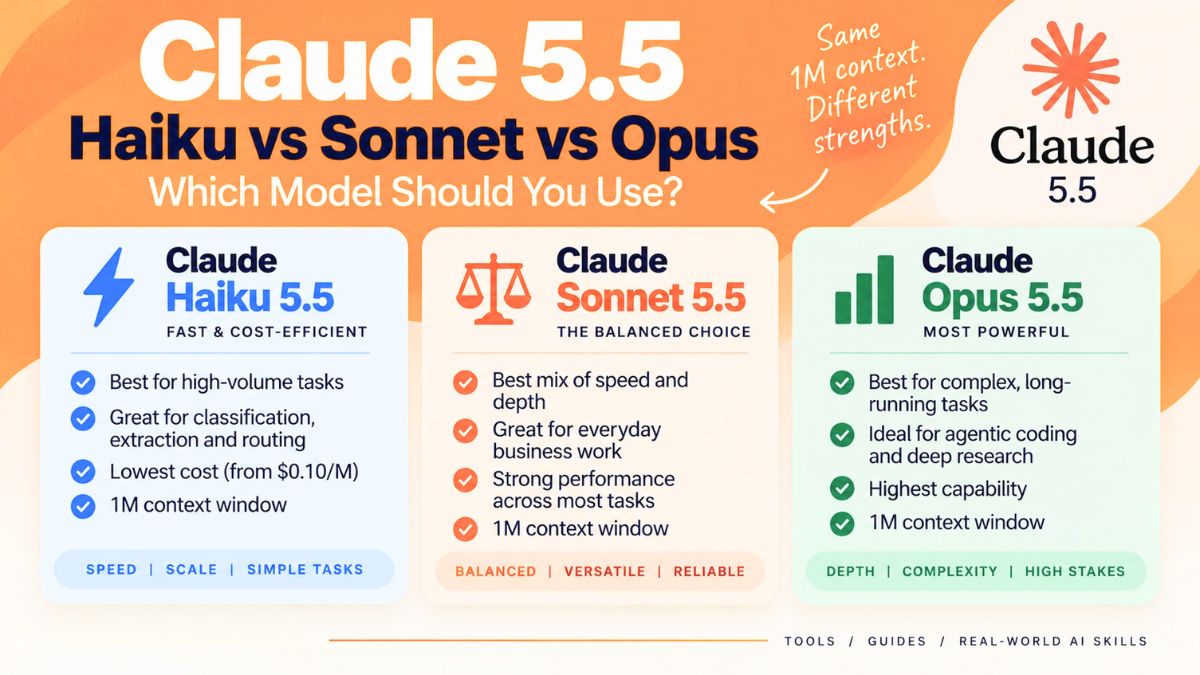
- Claude Opus 5.5 is the first model in the 5.5 family and the one built for the hardest work: complex projects that need careful judgment and long, sustained effort.
- Claude Sonnet 5.5 is the faster, lower-cost partner to Opus. Anthropic describes it as strongest at well-scoped everyday tasks, fixing bugs, and creating polished documents, slides, and spreadsheets, with a sharp eye for design.
- Claude Haiku 5.5 is described as Anthropic’s fastest, most capable small model, built for high-volume work like summarization, subagents, and browser use.
Above these sits Anthropic’s top tier. Models like Claude Fable 5.1 are aimed at long-running agentic coding, knowledge work, and research, while the Mythos tier is reserved for a small number of trusted organizations. For most of us, the Opus, Sonnet, and Haiku trio is what we’ll actually use.
Claude Opus 5.5: The Heavy Lifter
Opus 5.5 performs at the level of Fable 5.1 on most work, according to Anthropic, and costs about 40% less to run than the previous Opus on typical workloads. Some highlights from the launch announcement:
- It leads in agentic coding, computer use, and knowledge work on Anthropic’s benchmarks, though the company is careful to say benchmark margins matter less than real-world use at this level.
- It writes more clearly. One of the most common complaints about the previous Opus was its style. Anthropic says Opus 5.5 puts the most important information up front, avoids jargon, and follows the writing rules you give it.
- It’s more careful with actions. Anthropic reports it is much less likely than recent models to take hard-to-reverse actions or act outside the boundaries it’s been given, and it’s more resistant to prompt injection.
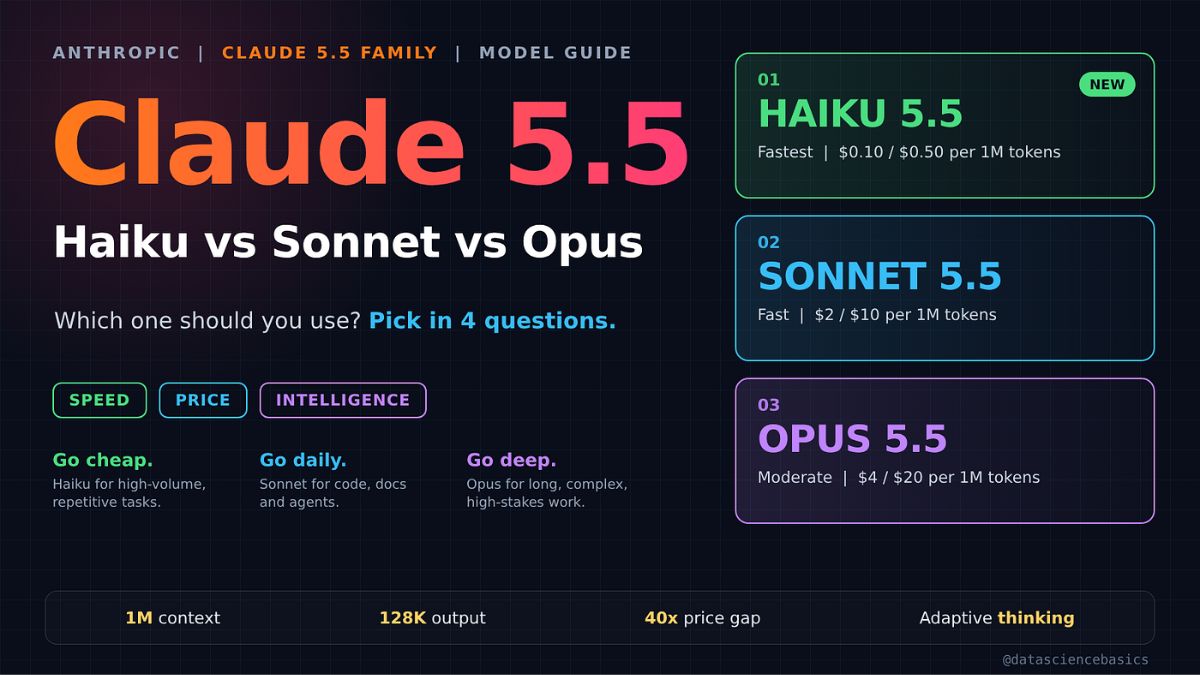
- Pricing for API users: $4 per million input tokens and $20 per million output tokens, with cache reads at $0.20 per million. A faster mode is also available for Claude Code and the Claude Platform at higher prices.
- Usage limits went up. Alongside the launch, Anthropic increased five-hour usage limits on Pro, Max, Team, and seat-based Enterprise plans.
Best for: Complicated research, long reports, big planning jobs, careful analysis, large coding or migration projects, and anything where a mistake would be expensive.
Claude Sonnet 5.5: The Everyday Workhorse
Sonnet 5.5 is where I’d start for most daily work. Anthropic says it runs more than 30% faster than the previous Sonnet and costs up to 30% less per task for most work, even though its per-token price is unchanged at $2 per million input tokens and $10 per million output tokens (it simply needs fewer tokens to do the same job).
What stood out to me from the announcement:
- It’s built for polished business output. Anthropic highlights documents, slides, and spreadsheets, and says it can follow slide templates to create decks that need minimal edits. In one internal test, two experts judged a 10-slide operating review from earnings materials and a template to be ready to send as is.
- It writes more clearly than the last Sonnet, with some of Opus 5.5’s natural writing upgrades.
- It’s great for fast iteration. Quick back-and-forth on less complex tasks is where its speed shines.
- Opus still wins on the hardest tasks. Anthropic says Opus 5.5 remains clearly stronger at complex, open-ended work requiring sustained judgment.
Best for: Writing and editing, brainstorming, building decks and documents, spreadsheets, summarizing, bug fixes, and most “get it done today” tasks.
Claude Haiku 5.5: Small, Quick and Cost-Efficient
Haiku 5.5 is the model you’ll often meet behind the scenes. It’s designed for repetitive, high-volume jobs where speed and cost matter more than deep reasoning: summarizing lots of documents, powering subagents (small helper steps inside a bigger task), and browser tasks.
For most non-developers, Haiku is less about picking it manually and more about knowing it exists. If you build tools with the API, though, it’s the one to look at for large volumes of simple work. Anthropic’s announcement positions it, but doesn’t give the full pricing and benchmark details in the headline summary, so check the official model page before planning costs.
Best for: Sorting, labeling, summarizing at scale, simple automations, and cost-sensitive applications.
What Does “Effort” Mean?
You may also notice an effort setting in some Claude tools. Effort controls how long Claude thinks before answering. Lower settings answer faster and use fewer tokens, which suits routine work. Higher settings reason for longer and check the work more thoroughly.
According to Anthropic, the default effort in Claude Code and the Claude apps is Medium, while the Claude Platform defaults to High. Interesting detail: Anthropic says Sonnet 5.5 at lower effort levels beats the previous Sonnet’s best scores on several benchmarks for a small fraction of the cost per task.
Here’s the truth: you rarely need maximum effort. Start at the default and increase it only when the answer isn’t good enough.
Quick Cheat Sheet: Which Model Should I Use?
- “Draft a LinkedIn post or email” → Sonnet 5.5
- “Build a 10-slide deck from my notes” → Sonnet 5.5
- “Analyze a messy spreadsheet and find the story” → Sonnet 5.5, then Opus 5.5 if the first pass misses something
- “Research a market and write a detailed report” → Opus 5.5
- “Review a contract draft for issues to ask a lawyer about” → Opus 5.5 (and always involve a professional)
- “Plan a six-month business strategy” → Opus 5.5
- “Summarize 200 customer reviews into themes” → Haiku 5.5 through the API, or Sonnet 5.5 in chat
- “Quick brainstorm of caption ideas” → Sonnet 5.5
Pro tip: Use a two-step workflow. Start with Sonnet for a fast first draft, then move to Opus only when you need deeper judgment or a final quality check.
How to Switch Models
In the Claude apps, you can usually change models from the model selector in the chat window, and you can switch mid-conversation. Availability depends on your plan. If you use the API, models are called by name, such as claude-opus-5-5, claude-sonnet-5-5, and claude-haiku-5-5. For exact limits and plan details, always check Anthropic’s official help center.

A Quick Word on Safeguards
Because the newest models are so capable, Anthropic has built safeguards around cybersecurity and biology. Routine work, including normal software development and most life sciences tasks, is unaffected. A narrow set of high-risk requests may be routed to an older model, and vetted professionals can apply for expanded access through verification programs. If you’re an everyday user, you probably won’t notice.
Make Claude Work Harder for Your Business
Knowing which model to use is just the start. The real advantage comes from knowing how to give Claude the right context, tasks, and workflows so it saves you hours every week. If you want a step-by-step playbook for putting Claude to work in your business, take a look at my guide:

Trust me, I wish I’d had it when I was guessing my way through my first week with Claude.
Final Thoughts
The biggest takeaway from the Claude 5.5 family is that bigger isn’t always better. Sonnet handles the vast majority of everyday work, Opus steps in when the stakes or complexity go up, and Haiku keeps high-volume jobs fast and affordable. Try your own real tasks on each, compare the results, and use the smallest model that gets you a great answer. Your time and your usage limits will thank you.










Leave a Reply