


Did you know that business owners who batch their content report spending nearly 70% less time on social media each week than those who create posts day by day? I found that out the hard way, back when Instagram was eating up almost an hour of my workday, every single day, just trying to figure out what to post. Some days I’d stare at a blank screen for twenty minutes before giving up and posting nothing at all.
Let me share what changed everything for me: I stopped treating content creation as a daily task and started treating it as a monthly project. Fast forward to today, and I sit down once a month, block off a single afternoon, and walk away with 20-30 posts ready to go — no more daily scrambling, no more inconsistent posting, no more that sinking feeling of “oh no, I haven’t posted in a week.” Trust me, this one shift freed up more time in my business than almost anything else I’ve done.
In this comprehensive guide, I’ll walk you through exactly how to batch create a full month of Instagram content in a single afternoon, using a simple system that works whether you’re running a service-based business, selling products, or building a personal brand.
Why Daily Content Creation Is Draining Your Business
Here’s the truth: creating content one post at a time isn’t just inefficient, it’s exhausting in a way that quietly wears down your motivation over time. I remember when I first started my business, I genuinely believed posting “in the moment” would feel more authentic. Big mistake. What actually happened was inconsistency, decision fatigue, and content that felt rushed because, well, it was.
The real cost of daily, unplanned content creation:
- Constant context-switching pulls you out of deep, focused work
- Decision fatigue builds up fast when you’re designing from scratch every day
- Inconsistent posting confuses the algorithm and your audience alike
- Last-minute content tends to be lower quality and less strategic
- You’re never building toward a bigger content strategy, just reacting day to day
Pro tip: Batching isn’t about doing more work upfront — it’s about doing the same amount of work, just once, instead of scattered across thirty separate days of decision-making.
Step 1: Plan Your Content Themes Before You Design Anything
I used to open Canva with zero plan and just start creating, hoping inspiration would strike. It rarely did, and I’d end up with a scattered mix of posts that didn’t build toward anything cohesive.

Before designing a single post, map out:
- Your content pillars — the 3-5 recurring themes your business content lives in (tips, behind-the-scenes, testimonials, promotions, personal stories)
- Key dates for the month — launches, promotions, holidays relevant to your niche
- Your posting frequency goal — realistic, not aspirational (3x a week beats a daily plan you’ll abandon)
- A rough content mix — aim for roughly 80% value/connection, 20% direct promotion
Here’s what I learned the hard way: skipping this planning step and jumping straight into design always backfires. You end up with beautiful posts that don’t actually say anything strategic.
Step 2: Write All Your Captions First, Separately From Design
Little did I know that trying to design and write captions at the same time was slowing me down dramatically. Switching between “creative visual mode” and “writing mode” repeatedly is mentally exhausting, and it’s exactly why content creation used to take me so long.
How to batch your captions:
- Open a single document and list out your post topics for the month, based on your content pillars
- Write all your captions in one sitting, focusing purely on words, not design
- Include a call-to-action in each caption — a question, a DM prompt, a link reminder
- Leave placeholder notes for hashtags to add later
Pro tip: Write your captions like you’re talking to one specific person, not a general audience. It reads more genuine and it’s honestly easier to write that way too.
Step 3: Choose a Template System So You’re Never Designing From Scratch
Here’s the game-changer that made the biggest difference in my batching process: I stopped designing every post from a blank canvas. Instead, I built a small library of templates I reuse and swap content into, month after month.
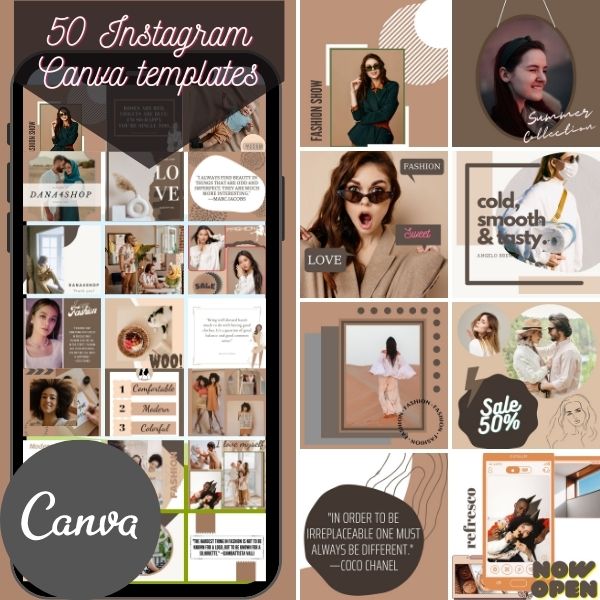
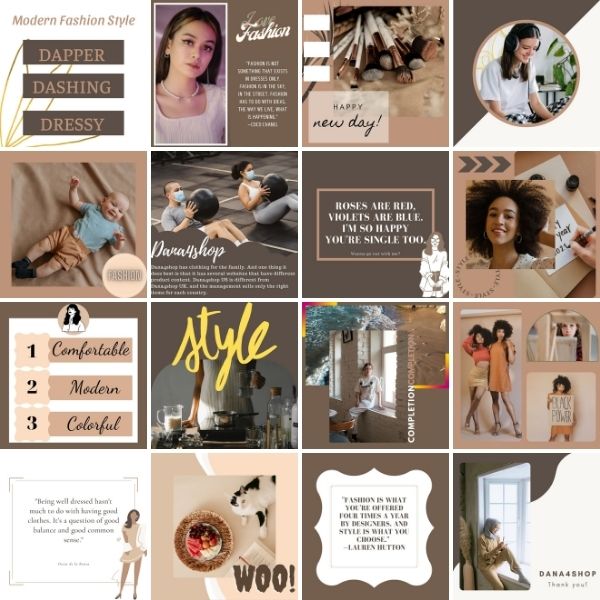
This is exactly where a ready-made template pack saves an enormous amount of time. I use the 50 Instagram Post Templates for Canva pack as my starting library — it gives me a full set of professionally designed, fully editable layouts I can drop my own colors, fonts, and content straight into, so I’m never stuck staring at a blank page wondering how to make a post look good. Having 50 different layouts on hand also means my feed doesn’t start feeling repetitive, even when I’m reusing the same handful of templates every month.

Why a template system works so well for batching:
- You make design decisions once (colors, fonts, layout style) instead of every single time
- Editing an existing template is dramatically faster than building from zero
- Your feed stays visually consistent, which strengthens your overall brand
- You can match different templates to different content pillars (quote templates for tips, gallery templates for behind-the-scenes, bold templates for promotions)
Step 4: Set Up Your Batching Session the Right Way
I used to try batching content in fifteen-minute pockets between other tasks, and it never worked — I’d lose momentum every time I got interrupted. Batching needs a real, protected block of time to actually be efficient.
How to structure your batching afternoon:
- Block 2-4 hours with zero interruptions — treat it like an important client meeting
- Gather your captions, templates, brand colors, and any photos or graphics you’ll need, all in one place before you start
- Work through your templates one at a time, dropping in captions and images as you go
- Batch similar post types together (do all your quote posts first, then all your promo posts) rather than jumping between formats
Here’s what I learned the hard way: gathering your materials before you start saves so much time compared to hunting for a photo or rewriting a caption mid-design. Prep work isn’t wasted time, it’s what makes the actual batching fast.
Step 5: Schedule Everything Before You Close the Laptop
A big mistake I made for way too long: batching my designs but still posting manually each day. That defeated half the purpose, because I was still opening the app daily and still risking forgetting to post.
After your designs are finished:
- Use a scheduling tool (Meta Business Suite, Later, or Canva’s built-in scheduler) to queue every post for the month
- Assign specific days and times based on when your audience is most active
- Double-check captions and hashtags are attached correctly before scheduling
- Leave 1-2 flex slots open for timely or reactive posts that come up unexpectedly
Pro tip: Scheduling everything in advance means your presence on Instagram continues even during busy weeks, sick days, or vacations — your business keeps showing up whether or not you’re actively thinking about it that day.
Step 6: Build a Simple Content Calendar to Track It All
I used to keep my content plan scattered across notes, screenshots, and half-finished documents. It made batching feel more chaotic than it needed to be. Now, I map everything into one visual calendar before I ever open Canva.
A simple content calendar should show:
- The date and posting time for each piece of content
- The content pillar or theme for that post
- The caption or a summary of it
- Whether it’s scheduled yet or still pending
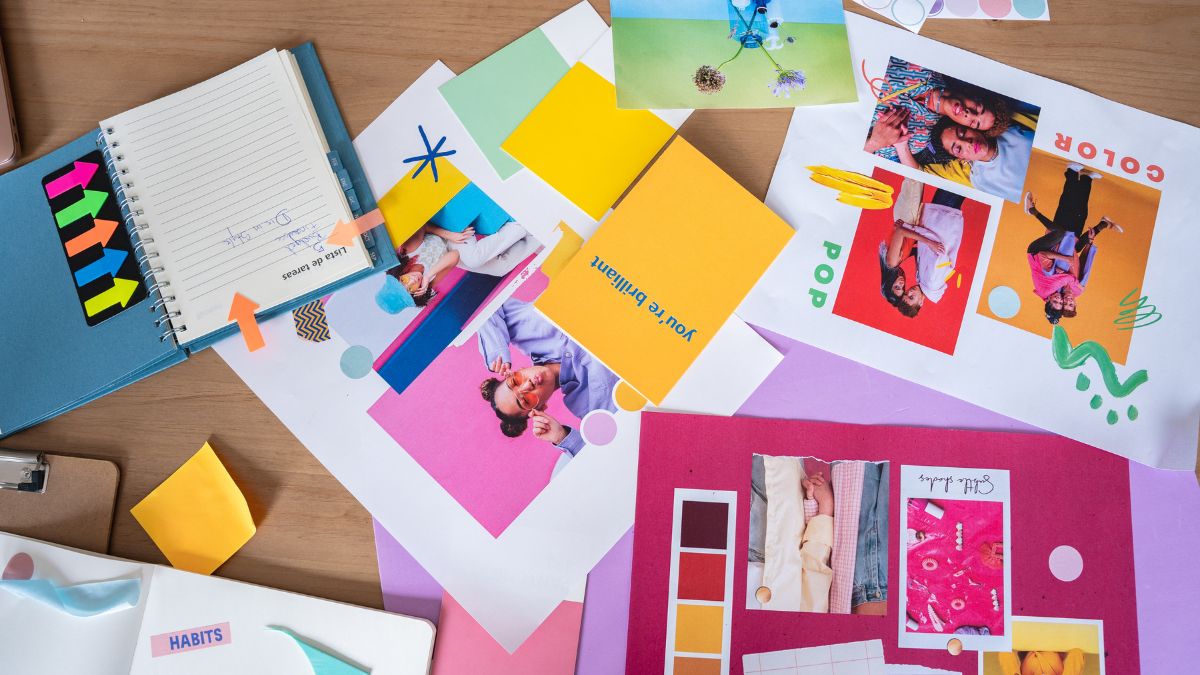
This is exactly the kind of structure that turns a scattered month into a clear, executable plan — and honestly, seeing the whole month laid out visually is what makes batching actually feel manageable instead of overwhelming.
Step 7: Review Performance and Refine Your Template Library
Batching isn’t a “set it and forget it forever” system. Every month, spend 15-20 minutes reviewing what worked.
Ask yourself:
- Which templates or post styles got the most engagement?
- Which content pillar consistently performs best?
- Are there templates in your library you never use, and could swap out?
- Did your posting frequency feel sustainable, or did it need adjusting?
Use these insights to refine your template rotation and content mix for next month’s batch. Over time, this turns into a genuinely efficient system that keeps improving instead of staying static.

Common Mistakes to Avoid
- Designing from a blank canvas every time, instead of building a reusable template system
- Mixing caption writing and design work in the same pass, which slows everything down
- Batching without scheduling, so you’re still manually posting daily anyway
- Skipping the planning step and jumping straight into design with no strategy
- Never reviewing performance, so your content mix never actually improves
Frequently Asked Questions
How much time does a full month of batching actually take? Once you have a template system and your captions written, most people can batch 20-25 posts in about 3-4 hours. The first month takes longer while you’re building your library; after that, it gets noticeably faster.
Do I need design skills to use templates effectively? Not at all — that’s the entire point of a template pack. You’re editing colors, fonts, and text inside an already-designed layout, not building graphics from scratch.
How many templates do I really need in my library? More variety helps keep your feed from feeling repetitive, but you don’t need to use all of them every month. Having a solid set of 15-20 go-to layouts, cycling through a larger pack, works well for most small businesses.
What if my batching session gets interrupted partway through? That’s exactly why gathering all your materials beforehand matters — even a partial batching session (say, 10 posts instead of 25) still saves you from daily scrambling and can simply be finished in your next session.
Final Thoughts
Batch creating your Instagram content doesn’t require becoming a design expert or spending your entire weekend glued to Canva. With a clear content plan, a reusable template system, and one protected block of time each month, you can build a full month of consistent, on-brand content in a single afternoon. Start with your content pillars, write your captions in one focused sitting, and let a solid template library do the heavy lifting on design.
Your business deserves to show up consistently — without it eating your entire week to make that happen.










Leave a Reply